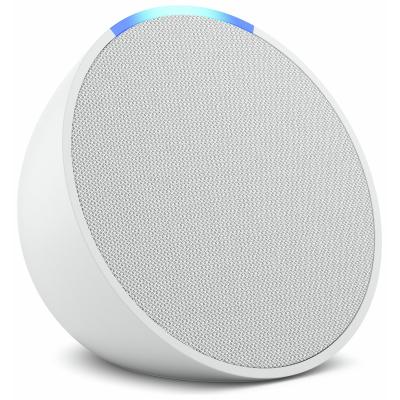
AMAZON ECHO POP SMART SPEAKER WHITE
769/8439
Buy it on Argos.co.uk
 UK:
 Eire:
Product details
- Brand: Amazon
- Catalogue number: 769/8439
- Manufacturer's number: B09ZXDMNCY
Argos Technical Support
Email:
UK:
Eire:
0345 604 0105
+44 345 604 0105
Mon-Sat:
Sun:
8am to 7pm
10am to 4pm
Email me this page
Enter your email address to have this page emailed to you *
Useful links
Amazon Web SupportFAQs
Tip: Before setup, download the Alex app from your mobile device's app store.
To set up your device:
- Plug in your Echo Pop device with the included power adapter.
- On your mobile device, open the Alexa app
 .
- Select Devices
 .
- Select Plus
 .
- Select Add Device.
- Select Amazon Echo.
- Select Echo, Echo Dot, Echo Pop and more.
- Follow the instructions to set up your device.
- Open the Alexa app
 .
- Select Devices
 .
- Select your device.
- Select Device Settings
 .
- Select Change or remove a Wi-Fi network.
- Connect to one of your previously connected Wi-Fi networks. If you don't see the Wi-Fi network that you want to connect to, select Join another Wi-Fi Network.
- Then follow the instructions in the Alexa app.
To reset your device and keep your smart home connections:
- Press and hold the Volume down and Volume up buttons for 15 seconds.
- Wait for the light bar to turn off and on again.
- Your device enters setup mode. For setup instructions, go to Set Up Your Echo Pop.
To reset your device to its factory settings:
- Press and hold the Volume down and Microphone off buttons for 25 seconds.
- Wait for the light bar to turn off and on again.
- Your device enters setup mode.
Questions & answers
How-to videos
-
What the Lights on Your Device Mean
-
How to Fix Wi-Fi Connectivity Problems on an Alexa Device
-
What to do if Your Alexa Device Isn't Responding
-
How to reset Echo Devices


Returns policy
If you need advice or support for your product, please in the first instance contact the support provider using the number on this support page.
If you still need to return your product then please visit our most up to date returns policy here.