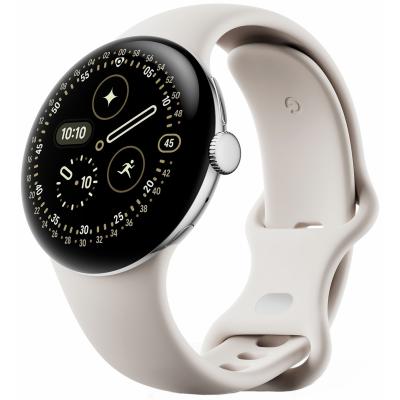
Google Pixel Watch 4 41mm Wi-Fi Smart Watch - Porcelain
776/6062
Buy it on Argos.co.uk
 UK:
UK:
 Eire:
Eire:
Product details
- Brand: Google
- Catalogue number: 776/6062
- Manufacturer's number: GA10830-EU
Google Support
UK:
Eire:
0800 026 1217
+44 800 026 1217
Mon-Sun:
Open 24 hours
Email me this page
Enter your email address to have this page emailed to you *
Useful links
Online supportFAQs
Any Android smartphone running Android 11.0 or newer, including Pixel phones.
- Turn on Bluetooth on your Android phone.
- Turn on the Pixel Watch 4.
- Follow on‑screen instructions in the Google Pixel Watch app to complete pairing.
The Pixel Watch 4 tracks the following:
- Heart rate
- Sleep stages & insights
- SpO₂ (blood oxygen)
- HRV (Heart Rate Variability)
- Over 40 exercise modes with real‑time stats
If your Pixel Watch 4 won't pair, try the following:
- Ensure Bluetooth is enabled on your phone.
- Restart both phone and watch.
- Reopen the Google Pixel Watch app and retry pairing.


Returns policy
If you need advice or support for your product, please in the first instance contact the support provider using the number on this support page.
If you still need to return your product then please visit our most up to date returns policy here.