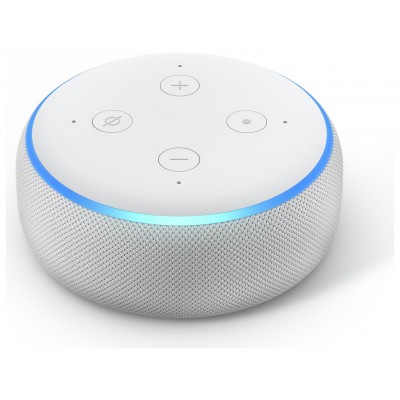
Amazon Echo Studio Smart Speaker With Alexa - Glacier White
125/4604

Product details
- Brand: Amazon
- Catalogue number: 125/4604
- Manufacturer's number: B09M65NMNH
Argos Technical Support
 UK:
UK:
 Eire:
Eire:
Email me this page
Enter your email address to have this page emailed to you *
Useful links
Amazon Web SupportFAQs
If your Echo Studio will not turn on, please check the following:
Ensure the power adapter is securely connected to both the Echo Studio and a working outlet.
Try a different power outlet.
If the LED ring does not light up at all, try using a different compatible power adapter (if available).
If it still doesn’t power on, contact Amazon support—there may be a hardware issue.
If your Echo Studio will not connect to the Wi-Fi, please carry out the following:
Open the Alexa app and go to Devices > Echo & Alexa > [Your Device] > Wi-Fi Network and try reconfiguring the connection.
Restart your router and Echo Studio.
Ensure you're using the correct Wi-Fi password.
Make sure the device is within range of the router.
Check if your router has MAC filtering enabled—it may need to be turned off or updated.
If Alexa responds but there is no sound, please carry out the following:
Say “Alexa, volume 10” to ensure it’s not muted or too low.
Check the output settings in the Alexa app to make sure it's not set to output to another speaker.
If using Bluetooth or line-in, ensure the connection is active and the other device is playing audio.
Restart the Echo Studio.
There are two options for factory resetting your Echo Studio, please see below:
Option 1 – With Voice:
Say, “Alexa, factory reset” (you’ll be asked to confirm).
Option 2 – With Buttons:
Press and hold both the Volume Down and Microphone Off buttons for about 20 seconds.
Wait for the light ring to turn orange, which means setup mode is active.
Questions & answers
How-to videos
-
What the Lights on Your Device Mean
-
How to Fix Wi-Fi Connectivity Problems on an Alexa Device
-
What to do if Your Alexa Device Isn't Responding
-
How to reset Echo Devices



Returns policy
If you need advice or support for your product, please in the first instance contact the support provider using the number on this support page.
If you still need to return your product then please visit our most up to date returns policy here.