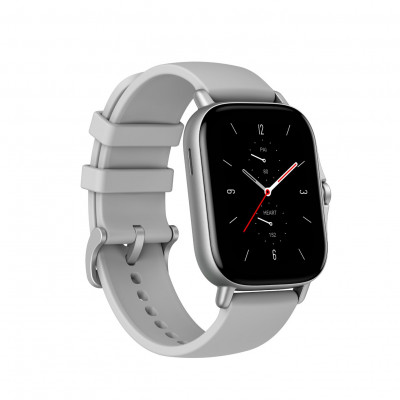
Amazfit Neo Smart Watch - Black
894/3066

Product details
- Brand: Amazfit
- Catalogue number: 894/3066
- Manufacturer's number: 6.97E+12
Amazfit Support
Email me this page
Enter your email address to have this page emailed to you *
Useful links
Online supportFAQs
If your smart watch does not turn on, press and hold the power button for 5–10 seconds. If unresponsive, connect the watch to its charger and allow it to charge for at least 30 minutes before attempting to power it on again.
If your smart watch will not charge, ensure the charging contacts on both the watch and charger are clean and free from debris. Use the original charger and cable. Try a different power source if charging is slow or not occurring.
If your smart watch will not pair to your phone, open the Zepp app on your phone, log in, and scan the QR code displayed on your watch to pair. Ensure Bluetooth is enabled on your phone and that it's running Android 7.0 or iOS 12.0 or later.
If your smart watch keeps disconnecting from your phone, keep the Zepp app running in the background on your phone. For iOS, ensure that background app refresh is enabled for Zepp.
App Alerts: In the Zepp app, go to Profile > My devices > [Your Watch] > Notifications and Reminders > App Notifications. Enable alerts for the desired apps.
Phone settings: On your phone, ensure that notifications for the Zepp app are enabled. For iOS, go to Settings > Notifications > Zepp and toggle on all alerts.


Returns policy
If you need advice or support for your product, please in the first instance contact the support provider using the number on this support page.
If you still need to return your product then please visit our most up to date returns policy here.