Philips Series 5000 Wet & Dry Electric Shaver S5466/17
197/1420

Product details
- Brand: Philips
- Catalogue number: 197/1420
- Manufacturer's number: S5466/17
Philips Personal Care Support
 UK:
UK:
 Eire:
Eire:
Email me this page
Enter your email address to have this page emailed to you *
FAQs
- Clean the shaving heads by following the steps of the thorough cleaning method (see chapter ‘Cleaning and maintenance’ in the user manual).
- Recharge the battery (see chapter ‘Charging’ in the user manual).
- The travel lock could be activated. Press the on/off button for 3 seconds to deactivate the travel lock.
Charging lights
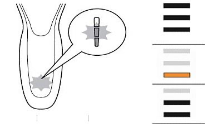
The horizontal bars light up to indicate the level of the battery. The bottom bar flashes orange when the battery is low. Once your shaver is fully charged, the light stays on for 15 or 30 minutes. It will automatically turn off.
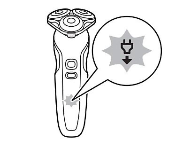
Unplug for use
Your shaver can only be used cordless. If turned on while plugged in, a white unplug symbol flashes as a reminder to unplug the shaver.
Exclamation mark
If you see an exclamation mark, clean or replace the shaving heads.
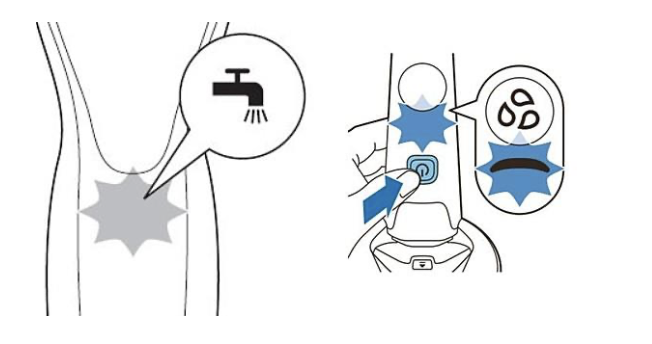
Cleaning reminder
The drop symbol indicates that it is time to clean your shaver.
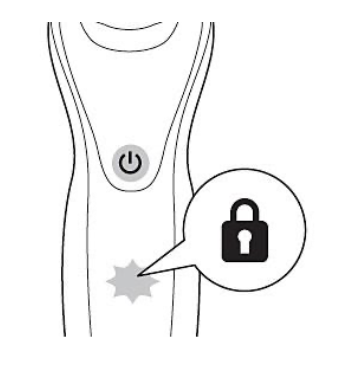
Travel lock
You can lock your Philips Shaver for travel. To de- and activate, press the on/off button for three seconds
Replacing shaving heads
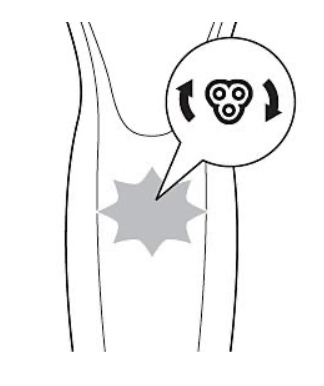
Depending on your shaver model, you may see a shaving head symbol flashing on your shaver or hear a beep as a reminder to replace the shaving heads.
Note: After replacing the shaving heads, reset the shaver by pressing the on/off button for a few seconds.
Air travel
Airlines have varying requirements for battery-operated products. Always verify your airline's specific rules before traveling. Most allow lithium-ion batteries under 100-watt hours in hand luggage, which includes all Philips shavers. If unsure, check with your airline.
Charging abroad
When charging Philips shavers abroad, ensure the power supply matches the charger or plug adapter specifications, typically found on the plug/adapter. If the only difference is the number of pins or plug shape, a standard travel plug adapter can be used with your home plug/adapter.
After replacing the shaving heads of your Philips shaver, you may feel mild skin discomfort. Allow 21 days for your skin to adapt. If you notice redness or irritation, apply a mild, alcohol-free lotion to soothe your skin.
We're dedicated to enhancing the longevity of Philips shavers, minimizing environmental impact, and improving user experience.
If your shaver fails during the warranty period, please click here to request a repair or exchange and check warranty status. Since most Philips shavers are waterproof, we advise having any issues diagnosed by an authorized Service Centre to avoid compromising its waterproof quality, which could cause damage or injury.
If you are unable to resolve the issue, then please either call us using the phone number on this page OR click HERE to arrange a return or exchange.
Questions & answers
How-to videos
-
How to clean the Philips Shaver S5000 – S7000


Returns policy
If you need advice or support for your product, please in the first instance contact the support provider using the number on this support page.
If you still need to return your product then please visit our most up to date returns policy here.