One For All URC1916 Hisense Replacement Remote Control
853/9401
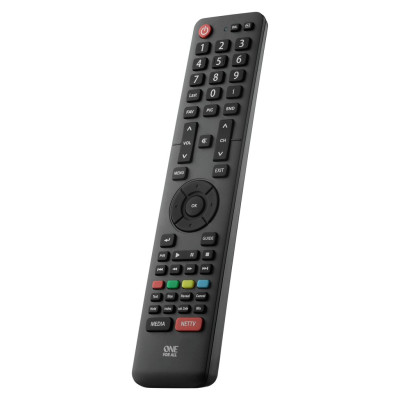
Product details
- Brand: One For All
- Catalogue number: 853/9401
- Manufacturer's number: URC1916
Argos Technical Support
 UK:
 Eire:
Email me this page
Enter your email address to have this page emailed to you *
Useful links
One For All Web SupportFAQs
Before resetting the replacement remote, please take the following into account:
If you have ever sent in your remote control to our Upgrade Service for an update, these codes will be erased as well. In that case, it is highly advised not to perform a factory reset.
To reset your remote to the manufacturer's setting, please follow the procedure outlined below:
- Remove a battery from the remote and press a button to discharge the remote entirely
- Reinsert the battery – the LED should blink twice
- Press the digits 2 and 8 simultaneously within 6 seconds – the LED should blink twice
- Enter the code 9 8 1, the LED will blink 4 times
- The remote is now reset to its factory defaults
You can now setup your remote again.
N.B. The procedure must be performed within 6 seconds of applying power to the remote, that is, inserting batteries. After 6 seconds of Power it will not activate.


Returns policy
If you need advice or support for your product, please in the first instance contact the support provider using the number on this support page.
If you still need to return your product then please visit our most up to date returns policy here.