Black+Decker BCSTR918D1-GB 18V 28cm Cordless Grass Trimmer
802/9313
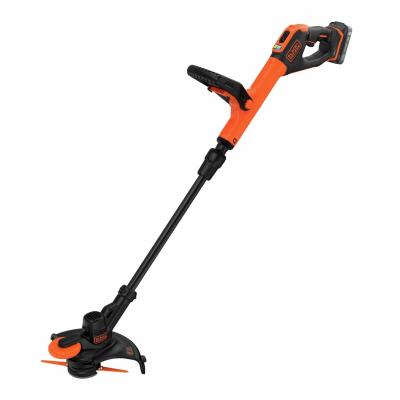
Product details
- Brand: Black & Decker
- Catalogue number: 802/9313
- Manufacturer's number: BCSTR918D1-GB
Black & Decker Support
Email me this page
Enter your email address to have this page emailed to you *
Useful links
Online supportFAQs
If the strimmer is not turning or spinning at all, check the following:
- Check that there is not a build-up of grass clipping and debris. Before removing the clippings, ensure the strimmer is powered off completely and unplugged. Once any clippings are removed, carefully check to see if there is movement when turning.
- Check nothing has trapped itself around the spinning element (such as garden twine or wire.
- Check the strimmer has sufficient power. If it is a cordless strimmer, ensure the battery is charged or the fuel tank has been filled. If it is a corded strimmer, ensure it is connected to power.
- Clean the vents of any debris to ensure proper airflow.
If the strimmer is not cutting or is cutting poor, check the following:
- Clean the vents of any debris to ensure proper airflow.
- Check that there is no damage to the blades or lines. If there is any damage, you may need to sharpen or replace the blade or lines. Refer to your user manual for how to proceed with this.
- Check nothing has trapped itself around the spinning element (such as garden twine or wire.
- Check that there is not a build-up of grass clipping and debris. Before removing the clippings, ensure the strimmer is powered off completely and unplugged. Once any clippings are removed, carefully check to see if there is movement when turning.
If the strimmer won't start, check the following:
- Check that there is not a build-up of grass clipping and debris. Before removing the clippings, ensure the strimmer is powered off completely and unplugged. Once any clippings are removed, carefully check to see if there is movement when turning.
- Check nothing has trapped itself around the spinning element (such as garden twine or wire.
- Check the strimmer has sufficient power. If it is a cordless strimmer, ensure the battery is charged or the fuel tank has been filled. If it is a corded strimmer, ensure it is connected to power.
- Clean or replace the air filter to ensure proper airflow.
If the cutting line is breaking or getting tangled, check the following:
- Check that there is not a build-up of grass clipping and debris. Before removing the clippings, ensure the strimmer is powered off completely and unplugged. Once any clippings are removed, carefully check to see if there is movement when turning.
- Check that the correct type and size of the cutting line is being used. Refer to your user manual for specifications for the cutting line and adjust the tension if necessary.
- Avoid hitting hard objects like rocks or stones when cutting as this can result in the line breaking.
- Ensure the right amount of strimmer line is used. Too much line can catch easily and break.
If your grass trimmer fails to start, please check the following:
Ensure the grass trimmer is turned off before carrying out any inspection or maintenance.
Check your user manual for the below procedure.
- Ensure the battery is correctly fitted and fully charged.
If your grass trimmer vibrates excessively and is noisy, please check the following:
Ensure the grass trimmer is turned off before carrying out any inspection or maintenance.
Check your user manual for the below procedures.
- The line spool could be dirty, clean the line spool.
- The line spool line is faulty. Replace the line spool.
If your grass trimmer is cutting poorly, please check the following:
Ensure the grass trimmer is turned off before carrying out any inspection or maintenance.
Check your user manual for the below procedures.
- Check if the trimming line is worn or damaged. Replace the trimming line.
- Check that there is sufficient trimming line.
- Check that the trimming line is being guided through the spool correctly.
How-to videos
-
Tips for Looking After Garden Power Batteries


Returns policy
If you need advice or support for your product, please in the first instance contact the support provider using the number on this support page.
If you still need to return your product then please visit our most up to date returns policy here.