SIM Free iPhone Air 5G 256GB AI Mobile Phone - Light Gold
778/4745
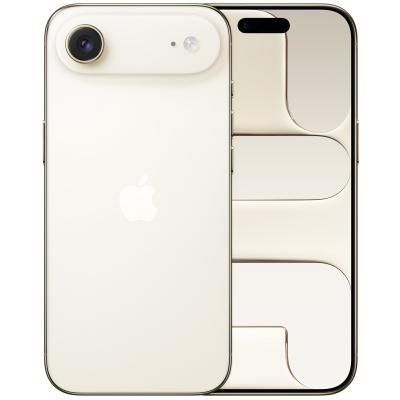
Product details
- Brand: Apple
- Catalogue number: 778/4745
- Manufacturer's number: MG2N4QN/A
Apple Support
 UK:
UK:
 Eire:
Eire:
Email me this page
Enter your email address to have this page emailed to you *
FAQs
Go to Settings > Wi-Fi, then turn on Wi-Fi.
Tap one of the following:
A network: Enter the password, if required.
Other: To join a hidden network, enter the name of the network, security type, and password.
Press and quickly release the volume up button.
Press and quickly release the volume down button.
Press and hold the side button.
When the Apple logo appears, release the side button.
Go to Settings > General > Transfer or Reset iPhone > Reset.
Choose an option:
WARNING: If you choose the Erase All Content and Settings option, all of your content is removed. See Erase iPhone.
Reset All Settings: All settings—including network settings, the keyboard dictionary, location settings, privacy settings, and Apple Pay cards—are removed or reset to their defaults. No data or media are deleted.
Reset Network Settings: All network settings are removed. In addition, the device name assigned in Settings > General > About is reset to “iPhone,” and manually trusted certificates (such as for websites) are changed to untrusted.
Reset Location & Privacy: Resets the location services and privacy settings to their defaults.
- Connect your device to a Wi-Fi network.
- Go to Settings > [your name], and tap iCloud.
- Tap iCloud Backup.
- Tap Back Up Now. Stay connected to your Wi-Fi network until the process has finished. Under Back Up Now, the date and time of your last backup will be displayed.
If you receive an alert stating that you don’t have enough iCloud storage space to complete the backup, follow the onscreen steps to buy more iCloud storage.
Press the volume up button, then the volume down button and then hold the side button until the iPhone starts to restart.
To remove VPN settings installed by a configuration profile, go to Settings > General > VPN & Device Management, select the configuration profile, then tap Remove Profile. This also removes other settings and accounts provided by the profile.
How-to videos
-
How to Fix Charging Issues on a Phone or Tablet
-
Cleaning Mobile Phone Ports


Returns policy
If you need advice or support for your product, please in the first instance contact the support provider using the number on this support page.
If you still need to return your product then please visit our most up to date returns policy here.