DJI Mic 3 1TX + 1RX Wireless Kit
769/4550
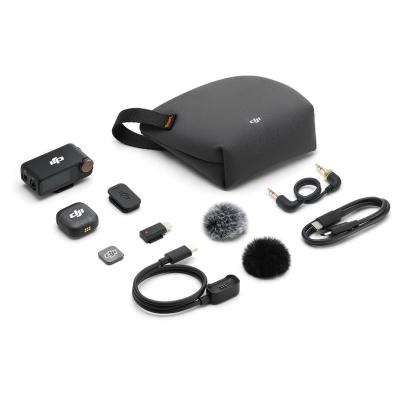
Product details
- Brand: Dji
- Catalogue number: 769/4550
- Manufacturer's number: CP.RN.00000479.01
DJI Support
 UK:
 Eire:
Email me this page
Enter your email address to have this page emailed to you *
Useful links
Online supportFAQs
Check the transmitter's status LED. If it is slowly blinking green, the transmitter is not linked to a receiver. Re-link the devices using one of the methods described in the manual, such as Basic Linking Operation, Linking via the Charging Case, or Manual Linking. During the linking process, the LED will blink blue and green alternately, and once successfully linked it will show solid green.
Check that the transmitter is not muted. A slowly blinking red Recording Status LED indicates the transmitter is muted. Unmute the transmitter before recording.
Verify the battery status LED. A solid red status LED indicates the battery level is 10% or lower. Place the transmitter or receiver in the charging case or connect it to a power source for charging before use.
Use the status LED as a troubleshooting guide. A slowly blinking blue LED means no Bluetooth device is connected, while a solid blue LED indicates a successful Bluetooth connection. A solid cyan LED indicates a successful connection to the DJI Mimo app. If the device is not connected, repeat the pairing process described in the manual.
No. An alternating red and green LED indicates that the device is updating firmware. Do not power off the device during the update. Allow the update process to finish completely before using the microphone system.
Questions & answers
How-to videos
-
Beginner’s Guide | Master the Basics in 4 Minutes


Returns policy
If you need advice or support for your product, please in the first instance contact the support provider using the number on this support page.
If you still need to return your product then please visit our most up to date returns policy here.