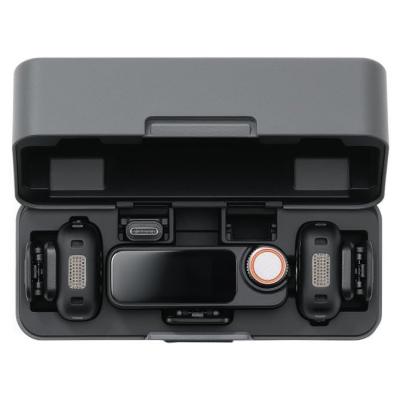
DJI Mic Mini wireless Microphone 2TX + 1RX + Charging Case
454/9433

Product details
- Brand: Dji
- Catalogue number: 454/9433
- Manufacturer's number: CP.RN.00000433.01
DJI Support
 UK:
 Eire:
Email me this page
Enter your email address to have this page emailed to you *
Useful links
Online supportFAQs
Check the transmitter's System Status LED. If it is blinking green slowly, the transmitter is not linked to the receiver. To resolve this, press and hold the Linking Button for two seconds and perform the linking procedure again. When successfully linked, the LED will show solid green.
A slowly blinking blue LED indicates that no Bluetooth device is connected. Re-enter Bluetooth pairing mode and reconnect the transmitter to your phone or compatible device. Once connected, the LED changes to solid blue.
Check the battery level indicator. A solid red LED means the battery level is between 0% and 10%. Charge the transmitter using the charging case, charging dock, or USB-C charging method described in the manual before further use.
Check the receiver's Status LED. If it is blinking green or cyan slowly, this indicates that no audio recording device is linked to the receiver. Verify all cable or adapter connections and ensure the connected camera, phone, or computer is properly recognised by the receiver.
Yes. The transmitter's Noise Cancellation LED glows solid yellow when noise cancellation is enabled. Press the transmitter's Power Button to enable or disable noise cancellation and compare the audio results.
Questions & answers
How-to videos
-
Full Setup Tutorial: Part 1
-
Full Setup Tutorial: Part 2
-
Full Setup Tutorial: Part 3


Returns policy
If you need advice or support for your product, please in the first instance contact the support provider using the number on this support page.
If you still need to return your product then please visit our most up to date returns policy here.