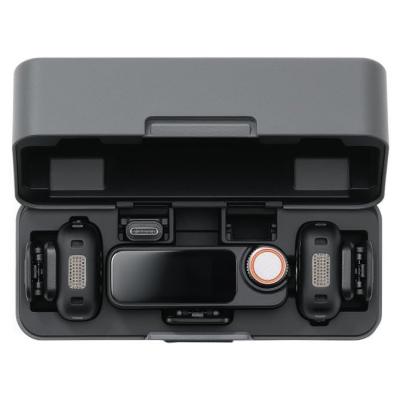
DJI DUAL PRO MICROPHONE 2 BLACK
564/5879

Product details
- Brand: Dji
- Catalogue number: 564/5879
- Manufacturer's number: 336372
DJI Support
 UK:
 Eire:
Email me this page
Enter your email address to have this page emailed to you *
Useful links
Online supportFAQs
Check the transmitter's System Status LED. If it is slowly blinking green, the transmitter is not linked to the receiver. Press and hold the Linking Button on the transmitter for two seconds and perform the linking procedure again. Once successfully connected, the LED will display solid green.
Verify that the transmitter is not muted. A pulsing red Recording Status LED indicates that the transmitter is muted and not recording independently. Unmute the transmitter and check the audio levels on the receiver screen.
The transmitter can operate either with the DJI Mic 2 receiver or via Bluetooth. Press and hold the Record Button for three seconds to switch modes. If the Bluetooth connection is not working, ensure the transmitter is in Bluetooth mode and repeat the pairing process.
A slowly blinking green LED means the transmitter is powered on but not linked to a receiver. This is a status indication rather than a fault. Re-link the transmitter to the receiver if required.
Questions & answers


Returns policy
If you need advice or support for your product, please in the first instance contact the support provider using the number on this support page.
If you still need to return your product then please visit our most up to date returns policy here.