Nespresso Vertuo Next by De'Longhi Pod Coffee Machine - Grey
714/2583
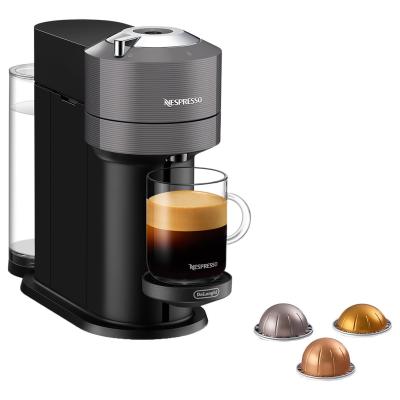
Buy it on Argos.co.uk
 UK:
 Eire:
Product details
- Brand: Delonghi
- Catalogue number: 714/2583
- Manufacturer's number: 132193941
DeLonghi Support
UK:
Eire:
0345 222 0458
+44 345 222 0458
Mon-Fri:
Sat-Sun:
9am to 5pm
Closed
Email me this page
Enter your email address to have this page emailed to you *
FAQs
- The machine has turned OFF automatically; push the button or “UNLOCK” the machine.
- Check the mains, plug, voltage, and fuse.
- Preheat cup with hot drinking water from the tap.
- Descale if necessary.
- Check that the water tank is well positioned.
- To save energy the machine will turn off after 2 minutes of non-use.
- Check that handle is properly locked.
- If you want to brew a Coffee or Espresso, check that a fresh capsule is inserted in correct position, that the handle is properly locked and push the button to start.
- If you are cleaning, descaling or emptying the system, check that no capsule is inserted then close, lock the machine and push the button to start one of these operations.
- Fill the water tank and push button to start.
- Check that handle is properly locked.
- Descaling needed: machine can be operated when alert appears only a few times after this alert before descaling becomes necessary.
- If coffee is flowing normally, this indicates the machine is working properly.
- If only water is flowing, the machine is executing a user request for either cleaning, descaling or emptying the system. Refer to the corresponding paragraph in this user manual.
- Turn the machine to “OFF mode” by pushing the button for 3 seconds and then push it again to turn the machine ON. Now wait approximately 20 minutes to allow the machine to cool down after extensive use.
- It will take some time before the coffee flow comes out (due to barcode reading and pre-wetting the coffee).
- Check that a fresh capsule is inserted in correct position, that the handle is properly locked and push the button to start.
- Fill the water tank and push button to start.
- Turn the machine to “OFF mode” by pushing the button for 3 seconds and then push it again to turn the machine ON. Now wait approximately 20 minutes to allow the machine to cool down after extensive use.
- During regular Coffee/Espresso preparation: 1) Unlock the handle and open the machine head to check that a fresh undamaged capsule is inserted in the correct position. 2) Check that the handle is in “LOCKED” position. 3) Check that the water tank is filled.
- During Descaling, Emptying and Cleaning: 1) Check that capsule is ejected. 2) Check that the handle is in “LOCKED” position.
- During Programming Volume: 1) Check if a capsule has been well inserted. 2) Please refer to the corresponding chapter.
- If problem persists:
- Unlock the handle and open machine head.
- Replace capsule (if needed).
- Disconnect powercord from the outlet and plug the machine back into outlet after 10 seconds.
- Close the head and press the button to turn ON and press again to start brewing. If problem persists, call Nespresso.
How-to videos
-
How to change your plugs fuse
-
How to clean a Coffee Pod machine
-
How to Complete a Power Cycle


Returns policy
If you need advice or support for your product, please in the first instance contact the support provider using the number on this support page.
If you still need to return your product then please visit our most up to date returns policy here.