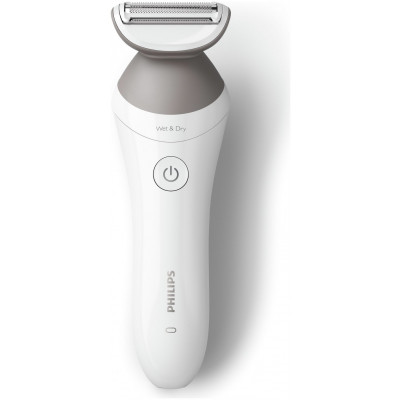
Philips Lady Shaver 6000 Series, BRL126/00
525/6141
Buy it on Argos.co.uk
 UK:
UK:
 Eire:
Eire:
Product details
- Brand: Philips
- Catalogue number: 525/6141
- Manufacturer's number: BRL126/00
Philips Personal Care Support
UK:
Eire:
ONLINE ONLY
ONLINE ONLY
Mon-Sun:
Open 24 hours
Email me this page
Enter your email address to have this page emailed to you *
FAQs
- Check the shaving head : A dirty or damaged shaving head can be harmful to your skin. Always check your shaving or trimming head before use to make sure that it is clean, in good condition and not damaged or worn out. A damaged shaving head will cause declining product performance or even skin irritation. Protect the foil by attaching a cap or comb during storage.
- Use the shaver on clean skin : Using your Philips Lady Shaver on dirty or oily skin may cause irritation. Make sure that your skin is clean, dry and free from grease before shaving.
- Use the right shaving techniques : It is very important to use the proper shaving technique to get the best results and to avoid irritation. While shaving, tightly pull your skin with one hand and slowly move the shaver against the direction of hair growth. Make sure that your shaving or trimming head is in full contact and flat on the skin. Do not press it too firmly on your skin, be gentle and move the shaver slowly.
- Use a clean shaving foil : Always check the head of your Lady Shaver to make sure that it is clean before you use it. If it is not clean, make sure that you clean it. Turn off the product and remove the comb if it was attached. Rinse the comb with water. Pull the shaving foil out of the shaver head and rinse the shaving foil unit with lukewarm running tap water. Shake off the excess water and completely air-dry the shaving foil head before attaching it back to its body.
If your Philips Lady Shaver is not working or removing your body hair as well as expected, please refer to the troubleshooting steps below.
- Shaving head needs to be cleaned : It is important to check that the shaving head is not dirty, damaged or worn out. This will cause skin irritation and negatively affect the performance of the product. If it is damaged it needs to be replaced immediately. Your lady shaver requires regular cleaning to function properly. Hair or debris can get stuck in the device and affect its performance. After each use, clean the device thoroughly by rinsing off any hair or debris. Protect the foil by attaching a cap of comb during storage. Turn off the product and remove the shaving foil head by holding it by the plastic housing and pulling it off the product. Rinse the hair chamber on top of the handle.
- Lady shaver needs to be charged : If your Philips lady shaver does not turn on, turns off by itself during use or does not shave as well as it used to, insufficient charging is one likely cause. For optimal performance, fully charge your lady shaver before your next session.
- Use the right attachments : If your lady shaver comes with a skin-stretching cap, try putting it on the shaving head. This attachment makes the hairs on your skin stand upright, making them easier to remove.
- Overheat protection is activated : It may be that the overheat protection on your lady shaver has been activated. When this happens, you will see red lights flashing on your lady shaver and it will stop working. In this case, let the lady shaver cool down and turn it back on after a minute or so. If it still does not turn on and the red lights start flashing again, it means that it has not cooled down properly and you should wait a bit longer.
If you are unable to resolve the issue, then please either call us using the phone number on this page OR click HERE to arrange a return or exchange.
Questions & answers


Returns policy
If you need advice or support for your product, please in the first instance contact the support provider using the number on this support page.
If you still need to return your product then please visit our most up to date returns policy here.