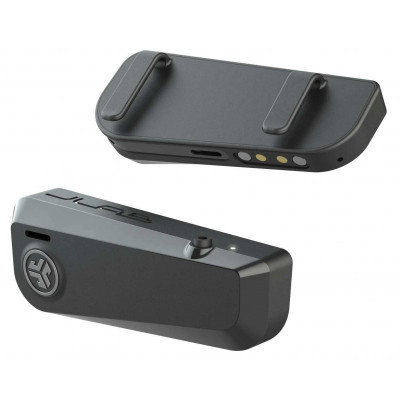
JLAB FRAMES BLACK
942/0973
Product details
- Brand: JLab
- Catalogue number: 942/0973
- Manufacturer's number: IEUEBFRAMESRBLK124
Jlab Support
 UK:
 Eire:
ONLINE ONLY
ONLINE ONLY
Mon-Sun:
Open 24 hours
Email me this page
Enter your email address to have this page emailed to you *
Useful links
Online supportFAQs
To factory reset your JBuds Frames, please carry out the following:
- Keep the earbuds in the charging case and forget “JLab JBuds Frames” from your Bluetooth device settings.
- Quick tap 7x on one earbud in the charging case. The earbud blinks blue 4 times.
- Quick tap 7x on the other earbud in the charging case. The earbud blinks blue 4 times.
- Take both earbuds out of the charging case. One earbud will be solid white and the other will blink blue/white indicating ready to pair to your device.
If your JBuds Frames do not turn on, please check the following:
- Battery is drained: Charge the Frames using the included USB-A cable for at least 1.5 hours.
- Faulty cable or port: Try a different USB port or charger.
- Power button not held long enough: Press and hold either button for 3+ seconds to power on both sides.
If you have no sound or the sound is too low on your JBuds Frames, please check the following:
- Device volume: Ensure your phone or computer volume is turned up.
- Frames placement: Adjust the Frames so the speakers sit as close to your ears as possible.
- EQ settings: Triple-press either button to cycle through EQ modes (Signature / Bass Boost).
- Bluetooth interference: Move closer to your device and avoid obstacles.


Returns policy
If you need advice or support for your product, please in the first instance contact the support provider using the number on this support page.
If you still need to return your product then please visit our most up to date returns policy here.