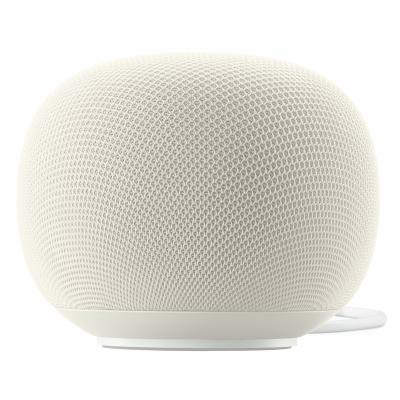
Google Home Speaker - Hazel
779/5215
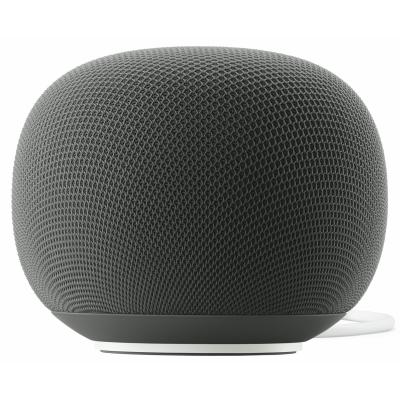
Product details
- Brand: Google
- Catalogue number: 779/5215
- Manufacturer's number: GA10554-GB
Google Support
 UK:
 Eire:
Email me this page
Enter your email address to have this page emailed to you *
Useful links
Online supportFAQs
The speaker doesn’t come with a physical instruction manual. There is a large amount of information online. Click here for guides and help for your Google Home Speaker.
- Plug the power cable into the Google Home Speaker and then the wall socket.
- Download and open the Google Home app on your phone or tablet.
- Follow the in-app instructions to connect your Google Home Speaker to your Wi-Fi network and Google account.
Yes, you can turn off the microphone on your Google Home Speaker for added privacy. You can do this by toggling the physical mute switch on the bottom of the device to the 'off' position. When muted, the device won't respond to voice commands but can still play audio.
Google Home Speaker listens for the wake words 'Hey Google' or 'Ok Google'. It's designed to be in a constant standby mode, waiting to be activated by one of these phrases. When activated, it will then process your voice command and take action. For added peace of mind, the light ring on the bottom of the device will glow when the speaker is listening, thinking or responding.
Google Home Premium is a paid subscription service that helps you get even more out of your Google devices.
You can unlock the ability to “go live” with Gemini and chat freely. Interrupt and ask follow-up questions, just like you would with a human. It's perfect for when you need help around the home, want to learn new concepts or brainstorm ideas.
Learn more about the Google Home Premium features for your Google device here.
Google Assistant was the previous voice assistant for everyday tasks and simple requests in the home. Gemini is the more conversational voice assistant that helps you tackle tasks seamlessly. Get richer answers, effortlessly set and edit reminders, stream media and control your smart home more naturally.
How-to videos
-
How To Set Up Google Home Speaker
Similar products
Returns policy
If you need advice or support for your product, please in the first instance contact the support provider using the number on this support page.
If you still need to return your product then please visit our most up to date returns policy here.