Bissell Powerwash Compact Upright Carpet Cleaner
768/0124
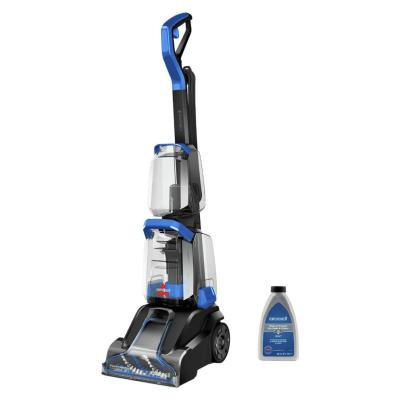
Product details
- Brand: Bissell
- Catalogue number: 768/0124
- Manufacturer's number: 4055E
Bissell Support
 UK:
 Eire:

Argos Troubleshooter
Resolve problems quickly with this easy-to-use tool.
Email me this page
Enter your email address to have this page emailed to you *
Useful links
Online supportFAQs
If the vacuum is not turning on, please try the following:
- Try an alternative plug socket.
- Change the fuse in the plug.
If there is light and sound but the unit isn’t turning on fully, please ensure the vacuum has been cleaned correctly; check for blockages and clean the filter.
If your vacuum is experiencing a loss of suction, please try the following:
- Check for any debris or blockages in the tubing and main body.
- Ensure the filter has been cleaned and left to dry as per the maintenance and care instructions.
- Check to see if the issue is happening on all attachments. If it is happening with a particular attachment then check there is no damage to this attachment and it is fitted correctly.
If the vacuum is hard to push, please check try the following:
- Check for any blockages or debris in the floorhead.
- Change the pile adjustment setting for the floorhead if available on the model (please refer to the user manual for the location).
- Check if the issue occurs on different floor types, as thick carpets will be harder to push on.
If the vacuum has poor performance when being used in wet mode, check the following:
- Ensure the correct filter has been fitted for wet mode.
- Check that the float valve hasn’t engaged. If water level is too high, the float will block suction. Empty the container and allow the float to reset.
- Check the hose or nozzle for any blockages.
If there is water is leaking from the vacuum, check the following:
- Check the tank and ensure it is now filled over the MAX line.
- Ensure the lid is sealed correctly and locked into place.
- Check the rubber seal around the lid for damage or wear.
If the carpet cleaner won’t switch on, check the following:
- Ensure the carpet cleaner is plugged in and switch on at the mains
- Try an alternative plug socket.
- Change the fuse in the plug using the same rating.
If carpet cleaner has power, but no water is spraying, check the following:
- Remove and reseat the clean water tank until it clicks into place.
- Refill the tank with warm tap water.
- If possible, check for kinks in the solution hose
- Run the trigger for up to 30 seconds to prime the system.
If the carpet cleaner is leaking water, check the following:
- Ensure both tanks are securely locked into place.
- Check seals and gaskets—ensure they are seated properly and free of debris.
- Do not fill the tank past the MAX line.
If the brush is not rotating, check the following:
- Unplug the carpet cleaner from the mains, then remove hair/threads from the brush bar.
- Check the brush belt for wear, if it worn or broken replace the belt. Check the instruction manual for this procedure.
- If the carpet is too wet after cleaning, this could be because too much solution has been used. Make additional dry passes with the trigger released.
Questions & answers
How-to videos
-
How to change your plugs fuse
Interactive Help
-
Argos Troubleshooter
Resolve problems quickly with this easy-to-use tool.


Returns policy
If you need advice or support for your product, please in the first instance contact the support provider using the number on this support page.
If you still need to return your product then please visit our most up to date returns policy here.