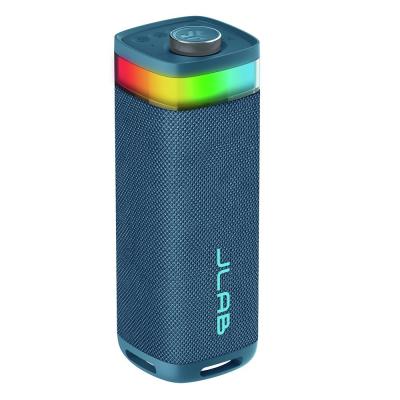
JLab Pop Party Ultra-Portable Bluetooth Speaker - Navy
766/7336
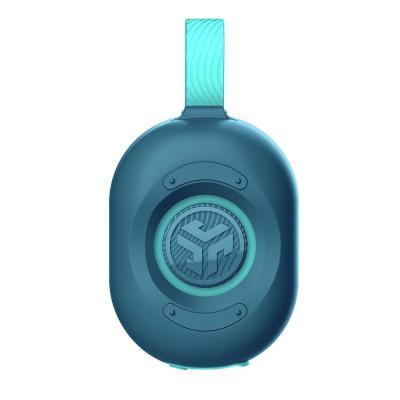
Buy it on Argos.co.uk
 UK:
 Eire:
Product details
- Brand: JLab
- Catalogue number: 766/7336
- Manufacturer's number: IEUSBPOPRNVY123
Jlab Support
UK:
Eire:
ONLINE ONLY
ONLINE ONLY
Mon-Sun:
Open 24 hours
Email me this page
Enter your email address to have this page emailed to you *
Useful links
Online supportFAQs
If your JLab Party speaker will not turn on, please check the following:
- Battery is drained: Plug the speaker into a USB-C charger and allow it to charge for at least 30 minutes.
- Faulty cable or charger: Try a different USB-C cable and wall adapter.
- Power button not held long enough: Press and hold the power button for at least 2–3 seconds.
- Eco Mode or Auto-Off: If the speaker hasn’t played media for 30 minutes, it may have powered off automatically. Just power it back on.
If your JLab Party Speaker will not connect via Bluetooth, please check the following:
- Ensure pairing mode is active: Hold the power button until the LED flashes blue/red.
- Forget and re-pair: On your device, “Forget” the speaker in Bluetooth settings, then reconnect.
- Too many devices connected: JLab speakers typically connect to one device at a time. Disconnect others first.
- Distance or interference: Stay within 10 meters (33 feet) and avoid walls or other electronics between devices.
If your JLab Party Speaker has no sound, or the volume is too low, please check the following:
- Volume settings: Make sure both your speaker and device volumes are turned up.
- Audio source: Try a different app or file to rule out a bad audio source.
- Wired connection: If using AUX, check the cable for damage or try a different one.
- Speaker not selected: Ensure the speaker is the active audio output on your device.
To reset your JLab Party speaker, please carry out the following:
(This procedure varies slightly by model)
- Power off the speaker.
- Press and hold the Bluetooth or power button for 10+ seconds until the lights flash or you hear a reset tone.
- Re-pair the speaker with your device.
How-to videos
-
How to Resolve Bluetooth Audio Disturbances
Returns policy
If you need advice or support for your product, please in the first instance contact the support provider using the number on this support page.
If you still need to return your product then please visit our most up to date returns policy here.