McGregor Impact Shredder - 2400W
727/6820
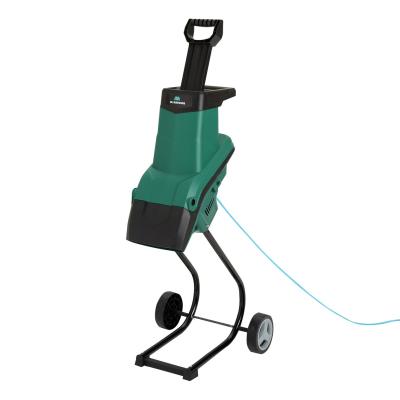
Product details
- Brand: McGregor
- Catalogue number: 727/6820
- Manufacturer's number: SDEG17
McGregor Support
 UK:
 Eire:
Email me this page
Enter your email address to have this page emailed to you *
Useful links
FAQs
If your shredder has no power, check the following: -
- Ensure the power cable is properly connected and plugged into the mains power.
- If there is an overload protection button, check that this has not tripped. Press the button to reset it after the motor has cooled down.
If the material I am trying to shred is not being pulled into the shredder, check the following: -
- The material may be too soft or wet. Feed in dry twigs or sticks
- Unplug the shredder from the mains, then check to see if there is any material lodged in the discharge duct. Please consult your user manual to carry out this procedure.
If your shredder stops or won't restart, check the following: -
- Unplug the shredder from the mains, then check for blockages and ensure the housing is properly secured. Please check your user manual for this procedure.
- The blade maybe blunt. Sharpen, rotate or replace it as needed. Please check your user manual for this procedure.
If your shredder is noisy and vibrates excessively, check the following: -
- Ensure the shredder is placed on a stable, level surface.
- Unplug your shredder from the mains power, then check that all the bolts and fasteners are not loose.
Do not force material into the machine.
Switch it off and disconnect the power before clearing a blockage.
Some models have a reverse function to help release material.
Check that you are not exceeding the recommended branch diameter and that the material is suitable for your machine.
Stop using it and check for trapped debris, loose parts or damaged cutting components. If the problem continues, contact the number on this page.
- Power off, leave for 20 seconds and power back on.
- Check for blockages.


Returns policy
If you need advice or support for your product, please in the first instance contact the support provider using the number on this support page.
If you still need to return your product then please visit our most up to date returns policy here.