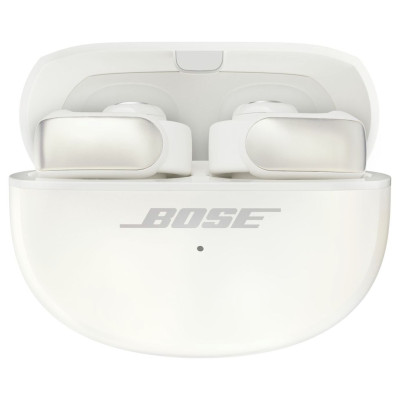
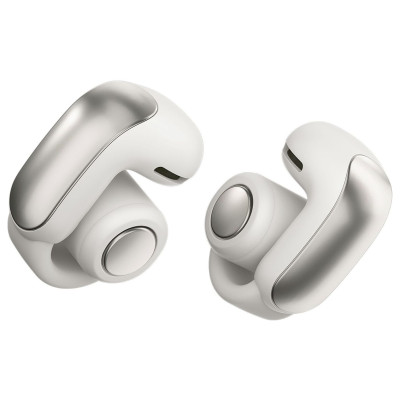
Bose Ultra Open Wireless Bluetooth Earbuds - Diamond
416/3280
Product details
- Brand: Bose
- Catalogue number: 416/3280
- Manufacturer's number: 881046-0040
Bose Technical Support
 UK:
UK:
 Eire:
Eire:
Email me this page
Enter your email address to have this page emailed to you *
FAQs
To turn on the earbuds
Open the charging case to turn on your earbuds. The status lights inside the case glow according to the charging status of each earbud. The status light on the front of the case glows according to the battery level of the case. An amber light indicates charging is needed. After removing the earbuds from the charging case, close the lid to help preserve the battery life and keep the case free of debris.
To turn off the earbuds
Place both earbuds in the charging case and close the lid. The earbuds will power off, disconnect from the Bluetooth device, and begin recharging.
Standby
Standby conserves the battery charge level of the earbuds when an earbud is out of the case and not in use. The earbud switches to a standby state when no audio playing and the earbuds have been not been worn for over 20 minutes.
Media playback
- Resume or pause playback by pressing the button on either earbud once. This operation may also start playback, though the functionality depends on the connected device and application in use.
- Skip to the next track by pressing the button on either earbud button twice.
- Skip to the previous track by pressing the button on either earbud three times. Depending on the app, the beginning of the current track may play. If this occurs, triple-press the button again
Volume control
- Increase the volume by pressing the button on the right earbud twice and continue to hold the second press. The volume increases as you hold the button. Release the button when you reach the desired volume level.
- Decrease the volume by pressing the button on the left earbud twice and continue to hold the second press. The volume decreases as you hold the button. Release the button when you reach the desired volume level.
Solid white (10 minutes) - Fully charged
Slowly blinks amber (10 minutes) - Charging
Blinks white - Determining earbuds battery status
Solid white - Fully charged (100% and plugged in)
Solid white (5 seconds) - Charged (34% – 99%)
Solid amber (5 seconds) - Low charge (10% – 33%)
Blinks amber 2 times - Need to charge (less than 10%)
Slowly blinks amber - Charging and plugged in
Blinks amber and white - Error, contact Bose customer service
If there is no sound coming from your earbuds, please check the following:
- Ensure your earbuds are paired to the device. (Please check the earbuds user manual for the pairing procedure).
- Check that the volume is not too low or muted.
- Restart the device and earbuds.
If your earbuds keep disconnecting, please check the following:
- The battery may be low. Fully charge the earbuds.
- Ensure your earbuds are within range of the device. (Please check the earbuds user manual for the range limit).
- If possible, avoid using the earbuds close to other Bluetooth or Wi-Fi devices, as this may disrupt the connection.
If one earbud is not working, please check the following:
- Sync issue between earbuds. Place both earbuds into the charging case and reset them. (Please check your earbuds user manual for this procedure).
- Dirt or debris in the earbud. Carefully clean the earbud mesh with a soft nonabrasive cloth or a soft brush.
- Re-pair the earbuds. (Please check the earbuds user manual for this procedure).
If your earbuds will not charge, please check the following:
- Dirty charging contacts. Clean the charging contacts with a dry nonabrasive cloth.
- Try a different charging cable or adapter.
- Ensure the case is fully charged.


Returns policy
If you need advice or support for your product, please in the first instance contact the support provider using the number on this support page.
If you still need to return your product then please visit our most up to date returns policy here.