Logitech G PRO Racing Pedals
407/7046
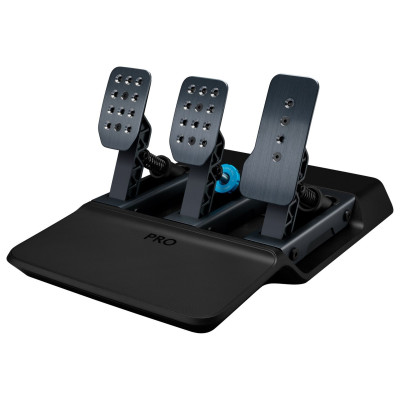
Product details
- Brand: Logitech
- Catalogue number: 407/7046
- Manufacturer's number: 941-000187
Logitech Support
 UK:
 Eire:
Email me this page
Enter your email address to have this page emailed to you *
Useful links
Online supportFAQs
It’s possible to do this on a PC providing the game you’re playing supports inputs from multiple controllers (most modern sim racing titles do). Just connect the pedals as well as your wheel and then make sure that you've configured the pedals for the gas, brake, and clutch functions in the game that you’re playing, using its control settings screen.
On a console, use of the Logitech G Racing Adapter is required to adapt the USB pedals to the serial port connection used on the G29/G920/G923. The Logitech G Racing Adapter can be purchased from here
If you've run out of the supplied lubricant, you can use an alternative, but it must be a silicone-based grease or lubricant to prevent any issues. Petroleum-based lubricants, gasoline and hydrocarbon solvents must NOT be used as they will degrade the components used in the pedals.
Your pedals self-calibrate in order to ensure they will always operate correctly throughout their life. When you first plug in the pedals don't touch them for the first 10 seconds. After this you can move the pedals and you will find that the deadzone is no longer present.
If you do move the pedals within the first 10 seconds, then simply remove your foot from the pedals and wait at least 10 seconds. When you move the pedals, the deadzone should be gone.


Returns policy
If you need advice or support for your product, please in the first instance contact the support provider using the number on this support page.
If you still need to return your product then please visit our most up to date returns policy here.