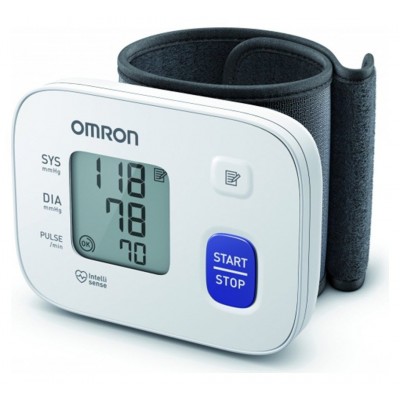
Omron M3 Blood Pressure Monitor
401/9585
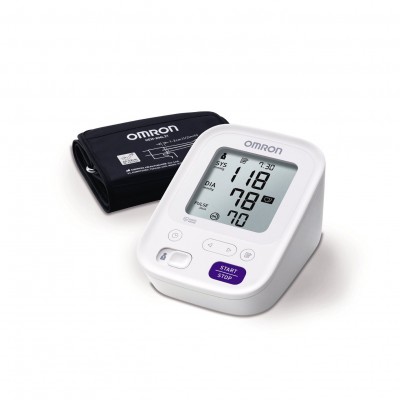
Product details
- Brand: Omron
- Catalogue number: 401/9585
- Manufacturer's number: 4019585
Omron Healthcare Support
Email me this page
Enter your email address to have this page emailed to you *
Useful links
Online supportFAQs
If E1 appears or the arm cuff does not inflate, please check the following:
The [START/STOP] button was pressed while the arm cuff is not applied.
- Press the [START/STOP] button again to turn the monitor off. After inserting the air plug securely and applying the arm cuff correctly, press the [START/STOP] button.
The air plug is not completely plugged into the monitor.
- Insert the air plug securely. Please follow instructions in your instruction manual.
The arm cuff is not applied correctly.
- Apply the arm cuff correctly, then take another measurement. Please refer to section 5 of instruction manual.
Air is leaking from the arm cuff.
- Replace the arm cuff to the new one. Refer to section 12 of instruction manual.
If you move or talk during a measurement and the arm cuff will not inflate sufficiently
or
Due to the systolic pressure is above 210 mmHg, a measurement cannot be taken.
- Remain still and do not talk during a measurement. If “E2” appears repeatedly, inflate the arm cuff manually until the systolic pressure is 30 to 40 mmHg above your previous readings. Refer to section 11 in the instruction manual.
The arm cuff is inflated and exceeds the maximum allowable pressure.
- Do not touch the arm cuff and/or bend the air tube while taking a measurement. If inflating the arm cuff manually, refer to section 11 in the instruction manual.
If you move or talk during a measurement, the vibrations can disrupt the measurement.
If E5 is displayed, your pulse rate has not been detected correctly.
- Apply the arm cuff correctly, then take another measurement. Refer to section 5 in the instruction manual.
- Remain still and sit correctly during a measurement.
- If the double heart symbol continues to appear, we recommend that you consult your doctor.
If Er is displayed, this indicates that the blood pressure monitor has malfunctioned.
- Press the [START/STOP] button again. If “Er” still appears, contact your OMRON retail outlet or distributor.
- Check that the batteries has been correctly inserted.
- Check the battery installation for proper placement. Refer to section 3 in the instruction manual.
Returns policy
If you need advice or support for your product, please in the first instance contact the support provider using the number on this support page.
If you still need to return your product then please visit our most up to date returns policy here.