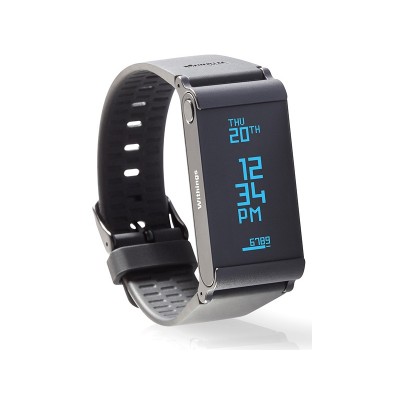
Withings Activite Pop Activity Tracker - Sand
395/7026
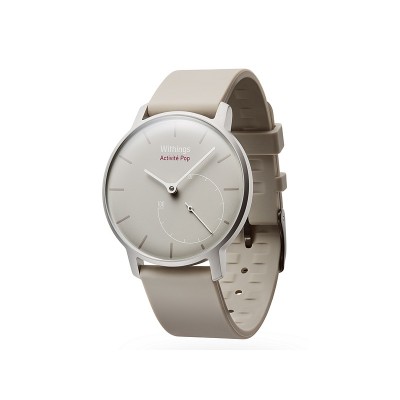
Product details
- Brand: Withings
- Catalogue number: 395/7026
- Manufacturer's number: 3957026
Withings Support
 UK:
 Eire:
Email me this page
Enter your email address to have this page emailed to you *
Useful links
Online supportFAQs
The time is displayed on your Withings Activite based on the time of your mobile device.
- The first thing you should do if the time is incorrect is synchronise your Withings Activite with the Withings Health Mate app so that it can retrieve the correct time. This can be useful if you've recently changed timezones for example.
- Simply open the app to force the synchronisation.
- If the time is still incorrect after that, try calibrating your watch to set the correct position of the hands. If you have already tried this or if the issue persists, it can mean one of two things:
- The battery of your watch is running low, in which case you should have received a notification and you would need to replace the battery.
- There might be a mechanical issue with your Withings Activite, in which case you should contact Withings Customer Service.
Your Withings Activite can withstand a pressure similar to that of a 50 m (165 ft) depth. You can, therefore, use it when dishwashing, splashing or swimming. however, it can't be used for diving or snorkeling. Avoid long exposure to salt water. Make sure you rinse your watch with fresh water after spending time swimming in salted water. Avoid exposure to any chemical products such as solvents, detergents, perfumes or cosmetics. They may damage the wristband or the casing of the watch. Avoid extreme atmospheres (e.g., saunas or steam rooms). The aging of the materials may affect the waterproofness of the watch. Water resistence cannot be permanently guaranteed.
The Withings Activite is waterproof, and as such, we strongly advise that you take it to your local jeweller or watchmaker and request that the battery be replaced. The replacement of the battery and the reassembly by a professional will ensure the watch will remain waterproof after the battery change. To facilitate the replacement, make sure you print this guide and give it to the watchmaker before the replacement. While we don't recommend it, you can also choose to replace the battery yourself using a standard CR2025 battery (available in electronics stores and many other retailers). Please keep in mind that it may damage the waterproofness of the watch. You can open the back case using the tool provided with the watch or a flat screwdriver. Place the tip of the tool in the groove at the top of the watch and use it as a lever to lift the back cover. Before putting the watch back case back in place, you have to:
- Make sure that the O-ring gasket is in place (in the groove around the back case) and not damaged.
- Make sure that the back case is properly aligned: the Withings logo should be facing up.
- Lay the watch flat on a table and press firmly until the back case clicks into place.
Questions & answers
How-to videos
-
How to set up your Withings Activit
-
How to use your Withings Activit
Returns policy
If you need advice or support for your product, please in the first instance contact the support provider using the number on this support page.
If you still need to return your product then please visit our most up to date returns policy here.