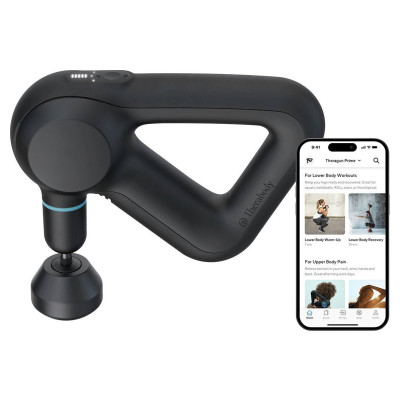
Theragun Sense Massage Gun
363/4772
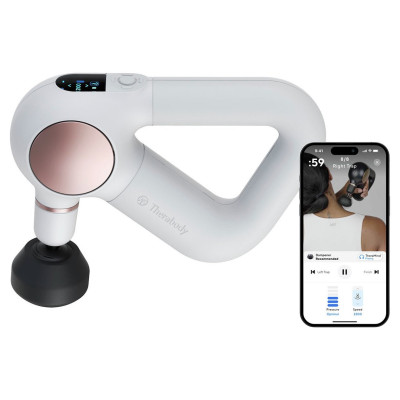
Product details
- Brand: Therabody
- Catalogue number: 363/4772
- Manufacturer's number: TG0003972-3A20
Therabody
Email me this page
Enter your email address to have this page emailed to you *
FAQs
To turn on your Theragun Sense, firmly long press the center button on the device.
The device's LCD screen will light up when the device is on. Select "Quick Start" to begin using the device without a guided routine, or toggle through preset guided treatment routines using the up and down buttons and press the center button to select a treatment routine.
Follow the preset treatment as the device guides you to move between muscle groups.
Once your desired treatment is selected, toggle through the five speed options by pressing the up and down buttons to increase or decrease treatment speed.
Ensure that your device is powered off before connecting or removing any attachments.
Align the attachment with the tip of the arm and push to connect.
To remove the attachment, hold the triangle grip with on hand, and the attachment with the other hand.
Place one finger on each side of the plastic connector and firmly pull off the attachment.
Warning: Do not place your finger between the attachment and the end of the arm, as this may cause pinching or injury.
Ensure that the device is powered off before charging, the device will not power on while charging.
- The device's battery level is continuously displayed on the LCD screen in the top right corner when the device is powered on.
- When the device is powered off and charging, the device's battery percentage level will be displayed on the LCD screen.
- Once fully charged, the battery icon will turn solid green and display a charge level of 100%.
- When charging is complete unplug USB-C cable from the device.
- The Theragun Sense is NOT waterproof or machine washable. Do not allow any liquid or water to enter the device or charging port.
- Ensure that the device is powered off before cleaning.
- To clean, wipe the device surface with a disinfectant wipe to remove any residue. Ensure that the biometric sensor is clean for optimal scanning precision.
- Once the device is residue-free, use a clean disinfectant wipe to thoroughly clean the device surface and attachments, wiping in a circular motion.
Questions & answers
How-to videos
-
Theragun Sense (2nd Gen) Quick Start Guide
Returns policy
If you need advice or support for your product, please in the first instance contact the support provider using the number on this support page.
If you still need to return your product then please visit our most up to date returns policy here.