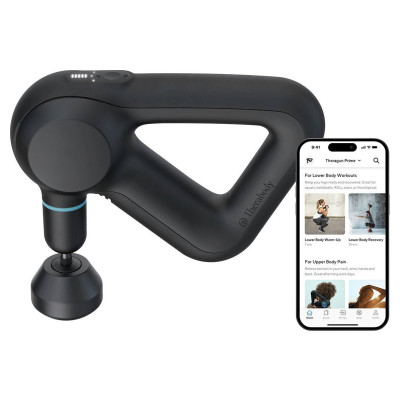
Theragun Relief Massage Gun
363/4765
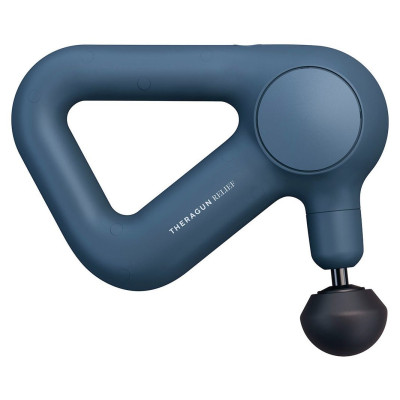
Product details
- Brand: Therabody
- Catalogue number: 363/4765
- Manufacturer's number: TG0003968-3A40
Therabody
Email me this page
Enter your email address to have this page emailed to you *
FAQs
1. To power on the Theragun Relief, long press the button on the device.
2. Move the device across the areas in need of treatment, gradually applying light-to-moderate pressure as needed. Spend approximately 15-20 seconds on each treatment area before gliding the device to the next treatment area.
3. Short press the button to toggle between the three speeds (low, medium and high) based on your preferences.
You can use your Theragun Relief for up to 2 minutes per area of the body.
1. Ensure the device is powered off before connecting or removing any attachments.
2. Align the attachment with the tip of the arm and push to connect.
3. To remove the attachment, hold the triangle grip with one hand and the attachment with your other hand. Place one finger on each side of the plastic connector and firmly pull off the attachment.
- Ensure that the device is powered off before charging; the device will not power on while charging. The Theragun mini is USB-C enabled. For charging, after turning off the device, plug one end of the cable included in the package into your USB of choice and the other end to the device.
- The device is USB-C enabled. To charge the device, plug one end of the USB-C cable included in the package into the device and the other end into your adapter.
- The LED light on the button will flash while the device is charging.
- The LED light on the button will turn solid green when the device has a full battery
- The LED light on the power/speed button will flash until fully charged.
- To view the battery level when the device is off, briefly press the button, and the LED battery light will flash to indicate the battery level.
- Flashing orange: Low battery
- Flashing blue: Medium battery
- Flashing green: High battery
- Solid green: Full battery
- Charging is complete when the LED light on the power/speed button is solid green.
- The Theragun Relief is NOT waterproof or machine washable. Do not allow any liquid or water to enter the device or charging port.
- Ensure that the device is powered off before cleaning.
- To clean, wipe the device surface with a disinfectant wipe to remove any residue. Ensure that the biometric sensor is clean for optimal scanning precision.
- Once the device is residue-free, use a clean disinfectant wipe to thoroughly clean the device surface and attachments, wiping in a circular motion.
Questions & answers
How-to videos
-
Theragun Relief | Quick Start Guide
Returns policy
If you need advice or support for your product, please in the first instance contact the support provider using the number on this support page.
If you still need to return your product then please visit our most up to date returns policy here.