THRUSTMASTER FLIGHT TFRP RUDDER PEDALS
336/5261
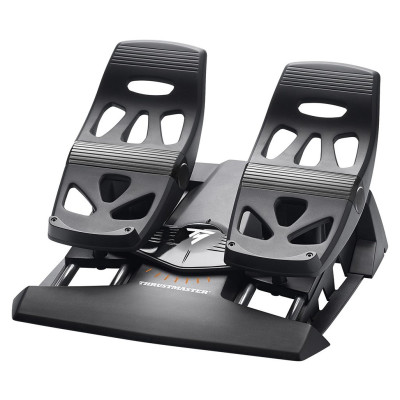
Product details
- Brand: Thrustmaster
- Catalogue number: 336/5261
- Manufacturer's number: 2960764
Thrustmaster
 UK:
 Eire:
Email me this page
Enter your email address to have this page emailed to you *
Useful links
Online supportFAQs
If your pedal set is not working properly, or seems to be improperly calibrated, try the following:
- Power off your PC and disconnect the adapter’s USB connector. Then reconnect the USB connector, power on your PC again, and restart your game.
- Make sure that the adapter’s selector switch is set to the AIRPLANE position, and that the LED is lit up in GREEN.
- When connecting the adapter’s USB connector, always leave the rudder axis centered (without placing your feet on the rudder).
In your game’s Options / Controller / Gamepad or Joystick menu, select the appropriate configuration or completely reconfigure the controller’s options.
For more information, please refer to your game’s user manual.
Your pedal set automatically calibrates itself after a few movements, and after having reached the physical stops for the rudder axis and the 2 differential brake axes
In your game’s Options / Controller / Gamepad or Joystick menu, adjust the sensitivity and dead zones for your controller (if these options are available).


Returns policy
If you need advice or support for your product, please in the first instance contact the support provider using the number on this support page.
If you still need to return your product then please visit our most up to date returns policy here.