PHILIPS FLEXCARE PLATINUM HX9112
332/9245
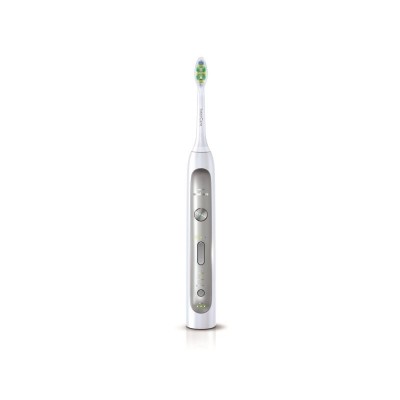
Product details
- Brand: Philips
- Catalogue number: 332/9245
- Manufacturer's number: HX9112/02
Philips Consumer Support
 UK:
 Eire:
0207 949 0240
152 45 448
Mon-Fri:
Sat:
Sun:
8:30am to 8pm
9am to 6pm
Closed
Email me this page
Enter your email address to have this page emailed to you *
FAQs
Please click here for the Philips troubleshooting tool. If you are unable to find a solution to your problem, we will guide you in booking a repair or exchange of your product in one of the Philips Authorised Service Centers.
Once per week is recommended. Clean the brush head after each use by holding it under a running tap. Remove the brush head from the handle and wipe away any residue you find with a soft cloth or paper towel. Run a damp cloth through the recessed area of the handle once a week and allow the handle to air dry. The charger base only needs to be cleaned periodically. To clean it, unplug the base then run a soft or paper towel along its surface. Never immerse the charger in water. Make sure the charger is dry before you plug it back into the socket. mild soap, water and a moist cloth are recommended for cleaning your Sonicare.
Yes, all other brush heads that snap on will fit your FlexCare Platinum handle. Here is a list of brush heads that will fit:
-ProResults Standard
-ProResults Compact
-Sonicare 4 Kids Standard
-Sonicare 4 Kids Compact (we recommend you disable the pressure sensor if you choose to use this brush head)
-DiamondClean Standard
-DiamondClean Compact
If you suffer from this issue, please click on the following link. It will direct you to the Philips Sonicare repair and exchange page with all the information you need on how to get your handle replaced. http://www.philips.co.uk/e/support-home-page/handle.html
The Sonicare toothbrush won'ÃÂÃÂt remove internal stains on teeth, including those resulting from antibiotic mouthwashes or an excessively high fluoride intake during childhood. However, regular use of a Sonicare toothbrush will significantly reduce stains caused by coffee, tea and tobacco, resulting in naturally whiter teeth.
Yes! it is safe to use your Sonicare toothbrush in the shower or bath. If you are using the PowerUp toothbrush with replaceable batteries, the battery cap must be attached in order to use in the shower or bath. To optimize the life and performance of your product, ensure your toothbrush and brush head are allowed to air-dry completely between uses.
NOTE: NEVER place your charger where it might risk contact with water! The charger cannot be used in the shower or bath.
When you use your handle for the first time, the pressure sensor is automatically turned on. To turn off your pressure sensor, follow these steps:
- Place your handle on your charger that is plugged in to a live outlet
- Hold the Power button and the Mode button for 2 seconds
If you hear 1 beep, and see the yellow battery light flash you have successfully disabled the pressure sensor. To turn the pressure sensor back on, just follow the same steps mentioned above. if you hear 2 beeps and see the green battery light flash, you have successfully enabled the pressure sensor.
If your brush head does not move, please consider two solutions.
1. Please reinstall the brush head as it is shown in your toothbrush user's manual.
Allign the brush head so the bristles face the front of the handle.
Firmly press the brush head down on the metal shaft until it stops.
Note: There is a small gap between the ring and the handle.
2. Please charge your Philips Sonicare Toothbrush for 24 hours.
If this didn'ÃÂÃÂt solve your problem please contact Philips Consumer Support. You can do this by clicking on the Chat button on the right or by calling 020 79 49 0240.
Your brush heads are extremely important to the effectiveness of a Sonicare. We can only guarantee performance through the Sonicare brand toothbrushes and heads which are tested through our strict clinical testing program. Therefore, it is recommended not to use brush heads other than Sonicare brand brush heads.
If you are unable to resolve the issue, then please either call us using the phone number on this page OR click HERE to arrange a return or exchange.
Questions & answers


Returns policy
If you need advice or support for your product, please in the first instance contact the support provider using the number on this support page.
If you still need to return your product then please visit our most up to date returns policy here.