Energenie Saving Power Meter
132/9917
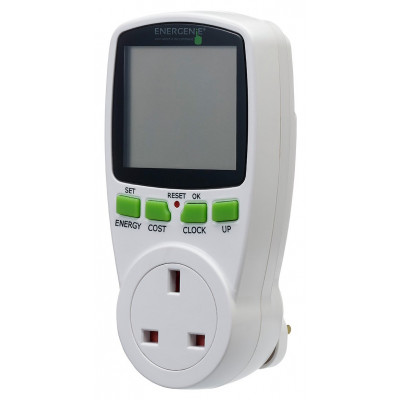
Product details
- Brand: Energenie
- Catalogue number: 132/9917
- Manufacturer's number: ENER007
Energenie Support
 UK:
 Eire:
Email me this page
Enter your email address to have this page emailed to you *
Useful links
Online supportFAQs
You can use it on household applications.
Measure energy and cost of household appliances. It can help users reduce the power bill and carbon emissions.
No, you just need to plug in the application you want to measure. But if you want to measure the cost, you will need to set the COST.
No, it takes a small amount of power from the mains supply. But you do need the batteries for it to memories data while unplug from the mains supply. Therefore, please make sure the batteries are inserted before use.
The unit can be reset using a pointed implement to press the reset button.
This will clear all accumulated data and return the unit to its factory settings.
Press the COST/- button repeatedly until you see the Time screen.
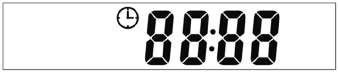
Press and hold the SET/OK button for 3 seconds.
The time symbol will flash.Use the HISTORY button to cycle through digits.
Press the ENERGY/+ or COST/- button to cycle through the value of the digits (0-9).
Press the SET/OK button to finish the setting procedure.
If no buttons are pressed for 10 seconds before the SET/OK button is pressed, setup will end and the old setting will be reverted to.
Press the COST/- button several times, until the Tariff screen is displayed
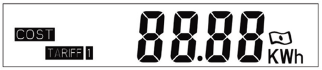
- Press and hold the SET/OK button for 3 seconds until the “TARIFF 1” symbol flashes
Press HISTORY to confirm selection.
4 numbers will be displayed with the left most digit flashingUse the ENERGY/+ or COST/- button to cycle through the value of the digit (0-9)
Use the HISTORY button to change to the next digit. Adjust all digits until happy with the values set.
Once you have completed setting the tariff, press SET/OK button to finish the setup.
If no buttons are pressed for 10 seconds before the SET/OK button is pressed, setup will end and the old setting will be reverted to.
Press the COST/- button to see the Time screen.
Press and hold the SET/OK button for 3 seconds.
The time symbol will flash.Press the ENERGY/+ or COST/- button to cycle between “TARIFF 1” and “DUAL TARIFF”
When “DUAL TARIFF” is flashing, select the option by pressing HISTORY
”TARIFF 1” will appear and 4 numbers will be displayed with the left most digit flashing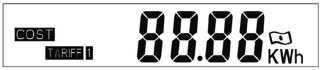
Set the fist tariff value
Use the ENERGY/+ or COST/- button to cycle through the value of the digit (0-9)
Use the HISTORY button to change to the next digit. Adjust all digits until happy with the values set.
Press SET/OK to confirm the fist tariff
4 digits will appear with a clock symbol next to it. This will allow you to set the start time for the first tariff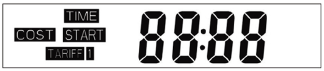
Set the first tariff start time (Hours and then minutes)
Use the ENERGY/+ or COST/- button to cycle through the value of the digit
Use the HISTORY button to change to the next digit. Adjust all digits until happy with the values set.
Press SET/OK to confirm the start time for the first tariff
”TARIFF 2” will appear and 4 numbers will be displayed with the left most digit flashing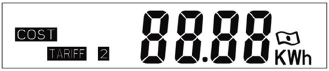
Set the second tariff value
Use the ENERGY/+ or COST/- button to cycle through the value of the digit (0-9)
Use the HISTORY button to change to the next digit. Adjust all digits until happy with the values set.
Press SET/OK to confirm the second tariff
4 digits will appear with a clock symbol next to it. This will allow you to set the start time for the second tariff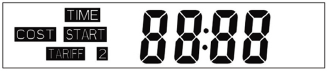
Set the second tariff start time
Use the ENERGY/+ or COST/- button to cycle through the value of the digit
Use the HISTORY button to change to the next digit. Adjust all digits until happy with the values set.
Press SET/OK to confirm the start time for the second tariff
If no buttons are pressed for 10 seconds before the SET/OK button is pressed, setup will end and the old setting will be reverted to.
Similar products
Returns policy
If you need advice or support for your product, please in the first instance contact the support provider using the number on this support page.
If you still need to return your product then please visit our most up to date returns policy here.