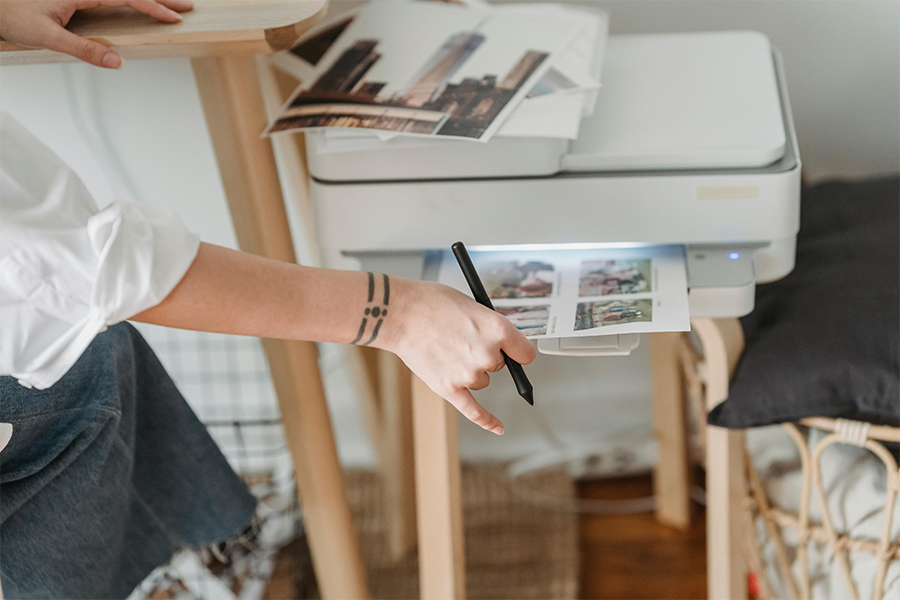
Printers come in all shapes, sizes, and technologies. If you’ve ever felt overwhelmed when trying to pick one, you’re not alone! This easy to follow guide explains the three main types of printers Inkjet, LaserJet, and Thermal, and helps you choose the best one for your needs.
The Three Main Types of Printers
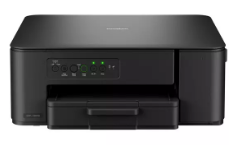
Inkjet printers are probably the most popular home office choice. They use a liquid ink to produce vibrant, high-quality print, they’re ideal for colour documents and photo printing, delivering rich tones and sharp detail.
Inkjet printers are probably the most popular home office choice. They use a liquid ink to produce vibrant, high-quality print, they’re ideal for colour documents and photo printing, delivering rich tones and sharp detail.
Pros: Great colour and photo quality. Cheaper to buy at first. Compact for home use.
Cons: Ink can be expensive. Slower print speeds. Ink may dry out if not used often.
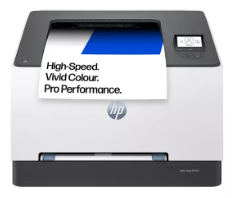
Laser Jet printers use toner powder rather than ink, delivering fast, efficient performance that’s ideal for volume printing. They excel at producing sharp, professional black‑and‑white text, making them a strong fit for office or home‑office environments.
If you regularly print between 100 and 500 pages per month, a LaserJet printer provides the speed and reliability needed to keep up with everyday workloads.
Pros: Very fast. Low cost per page. Toner doesn’t dry out.
Cons: Higher upfront cost. Colour laser printers can be expensive. Not ideal for photo printing.
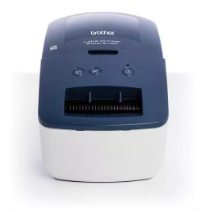
A thermal printer is a type of printer that uses heat instead of ink or toner to produce text, images, barcodes, and labels.
Unlike inkjet or laser printers, thermal printers don’t require cartridges, making them faster, quieter, and cheaper to maintain. They are less versatile and more a specialist printer, mainly used for receipts, shipping labels, barcodes, tickets.
Pros: No ink needed (for direct thermal). Quiet and reliable. Perfect for labels and shipping.
Cons: Not for photos or normal documents. Thermal paper can fade over time or exposed to direct sunlight.
Black & White or Colour?
Simple question really, but if you mainly print text documents and colour isn’t important, a black and white or “mono” printer is usually the best option. They're the most cost-effective solution.
However, if you regularly print school homework, reports and charts or photos a colour printer is more than likely to be required.
Wired Or Wireless
Printers can connect to your devices in two main ways, wired and wireless.
Wired printers connect directly to a computer using a cable. They’re ideal if you want a stable and reliable connection, especially for a desk setup where the printer stays in one place.
Wireless printers connect through your Wi-Fi network, allowing you to print from many different sources, such as your laptops, smart phones and tablets anywhere within your home.
In short, choose wired for reliability and wireless for convenience and flexibility.
The cost of printing
This point is one worth looking into as part of your research when buying a new printer. Running costs are an important factor and picking the right set up for your printing needs ensures the best long-term benefit to you.
Inkjet Printing Costs
Inkjet cartridges can be relatively expensive, and the ink may dry out if the printer isn’t used often.
Typical costs are roughly:
- £0.04 – £0.08 per page for black and white
- £0.16 – £0.24 per page for colour
Photo printing uses much more ink. An A4 photo print can cost around £0.96, plus the cost of photo paper.
Laser Printing Costs
Laser printers use toner cartridges, which last much longer than ink cartridges and generally offer a lower cost per page.
Typical costs are roughly:
- £0.02 – £0.06 per page for black and white
- £0.12 – £0.48 per page for colour
This makes laser printers a great option for frequent printing.
Tips to save money on printing:
- Use draft mode for non-important prints
- Buy XL cartridges for better value (inkjets)
- Consider inkjet tank printers, which cost more upfront but are far cheaper in the long run
Some manufacturers also offer ink subscription services. These services monitor your printer’s ink levels and automatically send new cartridges when needed. Plans are usually based on your expected monthly printing volume, and you typically pay only for the ink you use.
Final Thoughts
Choosing the right printer comes down to understanding what you print most often whether that’s schoolwork, home-office documents, photos or labels.
By understanding your usage and balancing the upfront cost with the long-term running costs, you can find a printer that fits your needs. When you match the printer type to how you print, you’ll get better quality, lower costs and a far more reliable printing experience.
View the full range here