DJI Osmo Pocket 4P Gimbal Camera Vlog Combo
968/2113
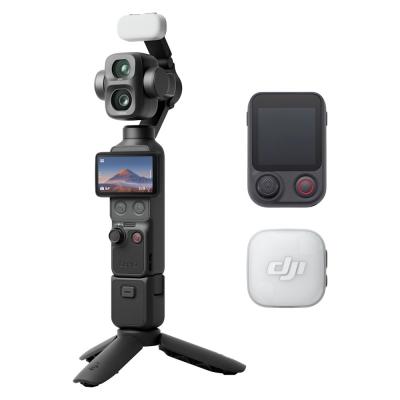
Product details
- Brand: Dji
- Catalogue number: 968/2113
- Manufacturer's number: CP.OS.00000662.01
DJI Support
 UK:
 Eire:
Email me this page
Enter your email address to have this page emailed to you *
Useful links
Online supportFAQs
Standard: Osmo is upright.
Hanging: Osmo is upside down.
Flashlight: Osmo is held out at 90 degrees, like a flashlight.
Vertical: Osmo is held at 90 degrees to the left or right for a portrait photo or vertical video.
Power on the Osmo.
On your mobile device, connect to the ‘OSMO_XXXXXX’ Wi-Fi network.
Enter the password: 12341234, then launch the DJI GO App on your mobile device.
Find OSMO in the App and enter Camera View.
- Swipe down from the top (or top-right) of the screen to open the quick settings or notification panel.
- Tap the Settings gear icon.
- Select System, then choose Reset options.
- Tap Erase all data (factory reset) and confirm


Returns policy
If you need advice or support for your product, please in the first instance contact the support provider using the number on this support page.
If you still need to return your product then please visit our most up to date returns policy here.