LG UltraGear 27 Inch 300Hz FHD Gaming Monitor
959/7820
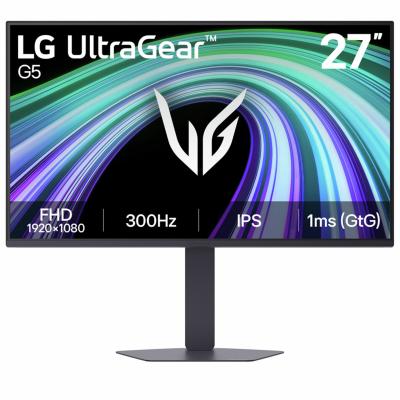
Product details
- Brand: LG
- Catalogue number: 959/7820
- Manufacturer's number: 27G550B-B.AEK
LG Support
 UK:
 Eire:
0344 847 5454
01 6869 454
Mon-Sat:
Sun:
9am to 6pm
Closed
Email me this page
Enter your email address to have this page emailed to you *
FAQs
If your monitor won’t turn on, check the following:
- Ensure the power cable is securely connected to both the monitor and the outlet.
- Check the power button is pressed (some monitors require holding for 2–3 seconds).
- Change the fuse in the plug.
If your monitor has no display / black screen, check the following:
- Confirm the input source (HDMI, DisplayPort, etc.) matches the cable used.
- Check that the PC/console is powered on and not in sleep mode.
- Remove, then refit the cable on the monitor and PC/console.
- Try a different cable or port.
If your monitor has a "No Signal" message, check the following:
- Ensure the correct source has been selected.
- Ensure the PC/console is powered on.
- Restart the PC/console.
- If possible check the monitor with another device.
If the screen is flickering on your monitor, check the following:
- Check that the cable is correctly connected on the monitor and the PC/console.
- Lower or adjust the refresh rate in display settings.
- If you are using a PC, check if the graphics card has an update.
- Temporarily disable adaptive sync features (FreeSync/G-Sync).
- Replace the cable.
If moving objects look blurry or leave trails, try the following:
- Increase the refresh rate (e.g., 144Hz or higher if supported).
- Adjust response time or overdrive settings in the monitor menu.
- Enable gaming features such as motion blur reduction.


Returns policy
If you need advice or support for your product, please in the first instance contact the support provider using the number on this support page.
If you still need to return your product then please visit our most up to date returns policy here.