BUSH TD3CNBW 3KG TUMBLE DRYER
865/5756
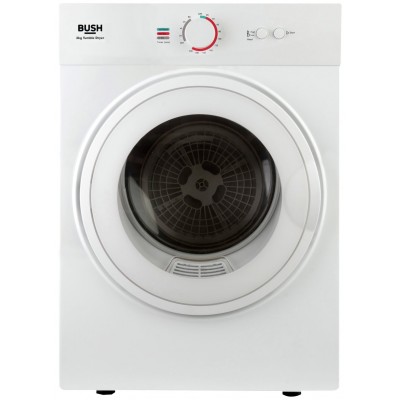
Product details
- Brand: Bush
- Catalogue number: 865/5756
- Manufacturer's number: TD3CNBW
Argos Service Line
 UK:
 Eire:

Argos Troubleshooter
Resolve problems quickly with this easy-to-use tool.
Email me this page
Enter your email address to have this page emailed to you *
FAQs
Please ensure that you refer to your instruction manual on the routines for cleaning & maintaining your machine. These routines are usually carried out after every cycle, in particular the cleaning of the filter & hose (if your machine is vented).
If you are out of guarantee and you do not have an extended warranty (breakdown care plan etc), we can still offer you a repair service.
Repair and Care will provide a prompt repair for white goods items that are under eight years old, please click here for more information and book your repair today.
Replacement parts can be requested via our support helpline (located on this support page), and can be provided whether your item is in warranty or if you would like to purchase a replacement part for an item that is out of warranty. In the first instance, please contact this helpline directly as a technical expert will work with you to assess your requirements and provide support directly. *Some parts may only be available to (& fitted) by a professional repairer.
If the appliance has no power, try the reset button located inside the door. Press and hold the button for 5 seconds to reboot the appliance.

If the clothes aren’t drying, check the following:
- Clean the lint filter by removing it and removing any dust and debris.
- Remove the condenser drawer, wash thoroughly, allow to dry and refit into the appliance.
- Check that the appliance has not been overloaded. If the load is too big, then the clothes won't move freely to dry.
- If clothes are soaking wet, try wringing water out to remove excess moisture before putting in the appliance.
If the issue is still not resolved, please get in touch with the support team using the contact details on this page.
If clothes are coming out damaged, check the following:
- Ensure the drum is not being overloaded.
- Ensure the appliance is on the correct programme.
If the issue is still not resolved, please get in touch with the support team using the contact details on this page.
If the appliance is tripping the electrics, check the following:
- Check the plug is inserted fully.
- Check and/or change the fuse.
- Check the lint filter by removing it and removing any dust and debris.
If the issue is still not resolved, please get in touch with the support team by using the contact details on this page.
If the appliance is going over set times on drying clothes, check the following:
- Check the lint filter by removing it and removing any dust and debris.
- Empty the water tank and clean it thoroughly.
- Remove the condenser drawer, wash thoroughly, allow to dry and refit into the appliance.
- Check that the correct load size has been used for the programme selected. If overloaded, it may take longer to dry completely.
- Try not to put the clothes in overly wet as they will take longer to dry.
If the issue is still not resolved, please get in touch with the support team using the contact details on this page
Questions & answers
How-to videos
-
How to change your plugs fuse
-
How to register your product
-
How to use your tumble dryer
-
Heavy & Bulky Item Delivery
-
How to do a Power Reset on a Tumble Dryer
-
Why Are my Clothes Not Drying? Tumble Dryer Troubleshooting
Interactive Help
-
Argos Troubleshooter
Resolve problems quickly with this easy-to-use tool.


Returns policy
If you need advice or support for your product, please in the first instance contact the support provider using the number on this support page.
If you still need to return your product then please visit our most up to date returns policy here.