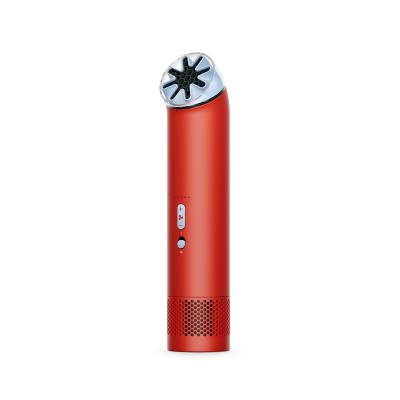
DYSON HUSHJET MINI CARNELIAN SKY
818/8113
Buy it on Argos.co.uk
 UK:
 Eire:
Product details
- Brand: Dyson
- Catalogue number: 818/8113
- Manufacturer's number: DYSON HUSHJET MINI
Dyson Support
UK:
Eire:
0800 298 0298
01 4757 109
Mon-Fri:
Sat-Sun:
8am to 8pm
8am to 6pm
Important information is available for this product.
Read more →
Email me this page
Enter your email address to have this page emailed to you *
FAQs
If your fan will not turn on, try the following:
- Make sure the power switch is slid up (On position).
- Check the battery level, if it’s very low (under 5%), the LED will flash red.
- Charge the device using the USB-C cable if needed.
If the fan turns on but immediately stops or is very weak, check the following:
- The battery may be low (solid or flashing red LED indicates low charge).
- Recharge the battery fully before use.
- Ensure the fan is powered off, then press the Up button.
- The front LEDs will show the charge level (1–5 LEDs).
If your My fan isn’t charging, check the following:
- Ensure the USB-C cable is properly connected.
- Look for the rear LED pulsing white (this indicates charging).
- If no LED activity appears, try a different cable or power source.
How-to videos
-
How to change your plugs fuse


Returns policy
If you need advice or support for your product, please in the first instance contact the support provider using the number on this support page.
If you still need to return your product then please visit our most up to date returns policy here.