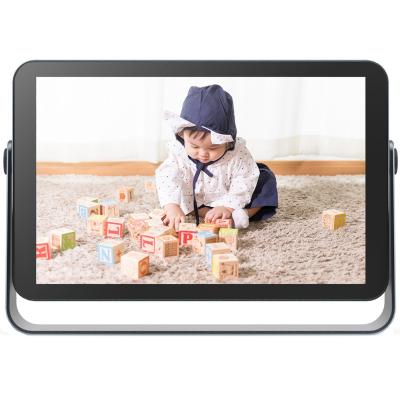
Kodak 7 Inch Wi-Fi Digital Photo Frame - Burlywood
817/3702

Product details
- Brand: Kodak
- Catalogue number: 817/3702
- Manufacturer's number: 91487
Kodak Support Center
 UK:
UK:
 Eire:
Eire:
ONLINE ONLY
ONLINE ONLY
Mon-Sun:
Closed
Email me this page
Enter your email address to have this page emailed to you *
Useful links
Online supportFAQs
- Ensure the power adapter is firmly connected to both the photo frame and the wall outlet.
- Press and hold the power button for several seconds.
- Try a different power outlet to rule out a faulty socket.
- Disconnect power, wait for 30 - 60 seconds, then reconnect.
- Reset the display settings (colour/brightness) to default (check the instruction manual for this procedure).
- Ensure the images stored on the SD card are in the photos frames supported formats and resolution (check the instruction manual for all supported images formats).
- Check that slideshow mode is enabled in the settings.
- Check the slideshow interval timing and folder selection.
- Restart the device to clear any temporary glitches.
Check the instruction manual for all the above procedure.
Questions & answers
Similar products
Returns policy
If you need advice or support for your product, please in the first instance contact the support provider using the number on this support page.
If you still need to return your product then please visit our most up to date returns policy here.