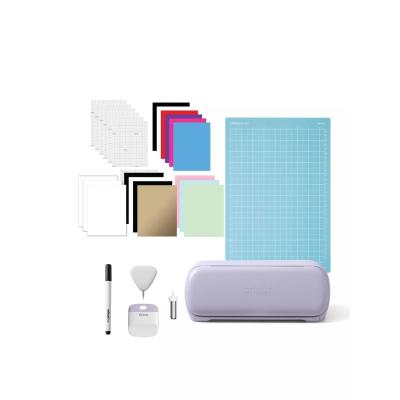
Cricut Joy Xtra Gift Bundle - Lavender
784/2010
Product details
- Brand: Cricut
- Catalogue number: 784/2010
- Manufacturer's number: 2012517
Cricut Member Care team
Email me this page
Enter your email address to have this page emailed to you *
Useful links
Online supportFAQs
- All Cricut machines work with Cricut Design Space, a free app that allows you to create, import, and cut designs.
- Cricut Joy can also use Cricut Joy app for simplified projects.
Design Space requires the internet to sign in and load images, but supports offline mode for cutting saved projects.
Yes. Cricut supports the following image formats:
- SVG (the best format)
- PNG
- JPG
- BMP
- GIF
- DXF
When powering on the machine
If the power button light is flashing or blinking red when you first power the machine on, contact Member Care for assistance.
Try a power cycle:
- Unplug the device.
- Hold the power button for 30 seconds.
- Plug back in and power on.
When updating firmware
If the power button light is flashing or blinking red when you are attempting to update your machine's firmware, contact Member Care for assistance.
If the power button is steady/solid red, this usually means the machine needs a firmware update. Contact the support number on this page for assistance.
It is highly recommended that you use a brayer or scraper to create a firm bond with the material and mat adhesive. All mats will gradually lose stickiness with use and will eventually need to be replaced.
- Make sure the Joy is within 10–15 feet.
- Restart both the Cricut Joy and your device.
- Remove the machine from Bluetooth settings and reconnect.
- Ensure no other device is connected to the machine.
To see the materials that you can cut here
Similar products
Returns policy
If you need advice or support for your product, please in the first instance contact the support provider using the number on this support page.
If you still need to return your product then please visit our most up to date returns policy here.