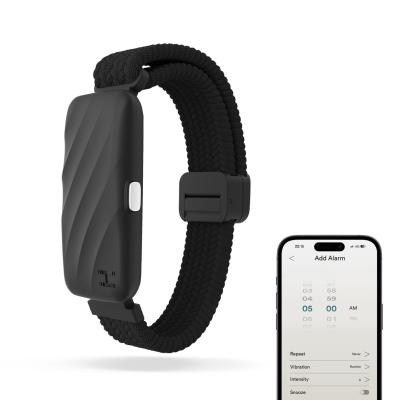
Homedics WakeBand Silent Alarm
769/4835
Buy it on Argos.co.uk
 UK:
UK:
 Eire:
Eire:
Product details
- Brand: Homedics
- Catalogue number: 769/4835
- Manufacturer's number: SS-WB100BK-WW
Homedics
UK:
Eire:
01732 378 557
+44 1732 378 557
Mon-Fri:
Sat-Sun:
8:30am to 7pm
Closed
Email me this page
Enter your email address to have this page emailed to you *
Useful links
FAQs
Press and hold the button for 2 seconds until the LED blinks blue, indicating the device is powered on.
- Scan the QR code in the packaging to download the HoMedics WakeBand app.
- Register or log in.
- Turn on the WakeBand (LED blinks blue).
- In the app, select Add Device and choose your WakeBand from the list.
- Once paired, the WakeBand LED becomes solid blue, and the app displays the battery level.
- In the app, tap Alarm and schedule the desired wake time (AM/PM).
- Choose the vibration mode and intensity.
- You can save up to 10 alarms.
- When an alarm is successfully set, the WakeBand LED turns green.
- Blinking Blue: Device is powering on or ready to pair
- Solid Blue: Successfully connected to the phone
- Green: Alarm set and synced with the app


Returns policy
If you need advice or support for your product, please in the first instance contact the support provider using the number on this support page.
If you still need to return your product then please visit our most up to date returns policy here.