Decathlon W200 S Women's Digital Sports Watch – Black
765/0374
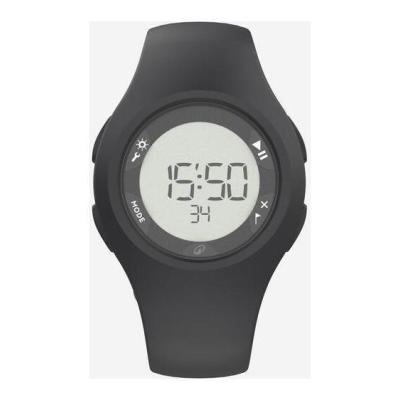
Product details
- Brand: Decathlon
- Catalogue number: 765/0374
- Manufacturer's number: 4528458
Decathlon Support
Call:
ONLINE ONLY
Mon-Sun:
Open 24 hours
Email me this page
Enter your email address to have this page emailed to you *
Useful links
FAQs
- Long press on the "play/pause" button to turn the watch on.
- Choose 12h or 24h with the "+" or "-" buttons and press on the "mode" button to confirm.
- Set the hours, minutes and seconds with the "+" ("play/pause") or "-" ("lap/reset") buttons. Confirm with the "mode" button.
- Enter the day's date with the "+" or "-" buttons and press on the "mode" button to confirm.
- Choose the "DD/MM" or "MM/DD" date format with the "+" or "-" buttons and press on the "mode" button to confirm.
- Enter the month with the "+" or "-" buttons and press on "mode" to confirm.
- Enter the year with the "+" or "-" buttons and and confirm with the "mode" button.
- Press on the "mode" button several times to get to "time".
- Long press on the "settings" button.
- Set the hours, minutes, seconds, day, month and year with the "+" ("play/pause") or "-" ("lap/reset") buttons.
- Confirm each setting with the "mode" button.
- Press on the "mode" buttons several times until you get to "alarm".
- Long press on the "settings" buttons.
- Select "ON" mode using the "mode" button and confirm with the "mode" button.
- Set the hours and minutes with the "+" and "-" buttons ("play/pause" and "laps"). Confirm with the "mode" button.
- Go back to the time to check that the alarm has been activated. The "alarm" icon is visible on the screen.
- To activate or deactivate the alarm, go back to the "alarm" menu with the "mode" button and press on "play/pause" to activate or deactivate the alarm.
Returns policy
If you need advice or support for your product, please in the first instance contact the support provider using the number on this support page.
If you still need to return your product then please visit our most up to date returns policy here.