Braun BT 9560 Series 9 Beard Trimmer
763/7414
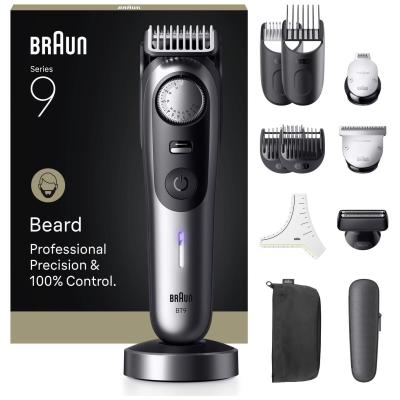
Product details
- Brand: Braun
- Catalogue number: 763/7414
- Manufacturer's number: 8.70022E+12
Braun Support
 UK:
 Eire:
Email me this page
Enter your email address to have this page emailed to you *
Useful links
Online supportFAQs
Check that the trimmer has sufficient battery charge.
Connect it to the supplied charger and allow it to charge for at least 1 hour.
If the battery indicator does not illuminate, verify the power outlet is working and that the charging cable is securely connected.
Ensure the travel lock is not activated, as this can prevent the trimmer from switching on.
Hair pulling is usually caused by dirty or insufficiently lubricated blades.
Remove the comb attachment and clean away any trapped hairs using the cleaning brush.
Apply a small drop of light machine oil to the cutting blades if recommended in the user guide.
Ensure the beard is dry and combed before trimming, and replace damaged cutting elements if they are worn.
Inspect the charging cable and charging contacts for dirt, moisture, or damage.
Clean the contacts carefully with a dry cloth.
Charge the trimmer at room temperature, as extremely hot or cold conditions can affect battery charging.
If the battery indicator still does not respond after several hours of charging, the charger or battery may require service through Braun customer support.
Make sure the correct comb attachment is fitted securely and that the desired length setting is properly selected.
Move the trimmer slowly against the direction of hair growth using consistent pressure.
Clean the comb attachment regularly, as hair buildup can affect cutting performance.
If uneven cutting continues, check the blades for wear or damage and replace them if necessary.
Questions & answers


Returns policy
If you need advice or support for your product, please in the first instance contact the support provider using the number on this support page.
If you still need to return your product then please visit our most up to date returns policy here.