Cricut Easypress 3 23x23cm - Blue
748/9569
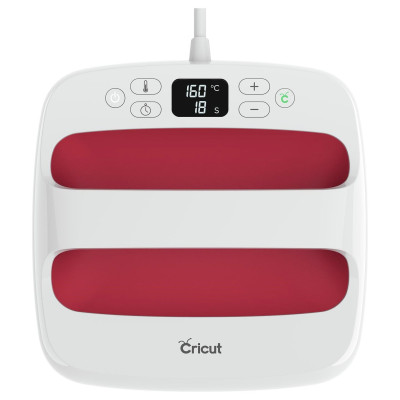
Product details
- Brand: Cricut
- Catalogue number: 748/9569
- Manufacturer's number: 2009145
Cricut Member Care team
Email me this page
Enter your email address to have this page emailed to you *
Useful links
Online supportFAQs
- All Cricut machines work with Cricut Design Space, a free app that allows you to create, import, and cut designs.
- Cricut Joy can also use Cricut Joy app for simplified projects.
Design Space requires the internet to sign in and load images, but supports offline mode for cutting saved projects.
Yes. Cricut supports the following image formats:
- SVG (the best format)
- PNG
- JPG
- BMP
- GIF
- DXF
The auto shutoff countdown starts after the last action was completed. If the last action was to change the temperature, the auto shutoff countdown begins once the new temperature setting has been reached.
If you are cooling the device from a higher temperature, it may take several minutes to reach the cooler temperature, and only after that set point has been reached will the auto shutoff period begin.
For most Cricut EasyPress models, this is the auto shutoff safety feature.
After a period of inactivity, or no button pushes, the press will alert you, then shut off. This occurs after 10 minutes
The heat plate is composed of aluminum with a ceramic non-stick coating. To clean the heat plate, use a iron cleaner. Always refer to the manufacturer guidance.
In case you accidentally adhere iron-on film to the plate, get a thick rag and wipe it off quickly while it's still warm. Be sure not to touch the heat plate.
- Make sure it’s within 10–15 feet.
- Restart both the machine and your device.
- Remove the machine from Bluetooth settings and reconnect.
- Ensure it’s not already connected to another device.
Returns policy
If you need advice or support for your product, please in the first instance contact the support provider using the number on this support page.
If you still need to return your product then please visit our most up to date returns policy here.