PDP QUAD JOY CON CHARGING DOCK WHITE NS
682/6202
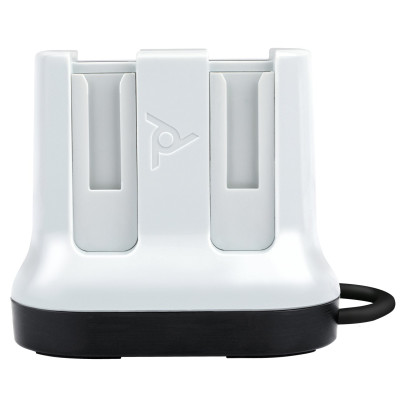
Product details
- Brand: PDP
- Catalogue number: 682/6202
- Manufacturer's number: 7.08E+11
Argos Technical Support
 UK:
 Eire:
Email me this page
Enter your email address to have this page emailed to you *
Useful links
FAQs
Ensure the dock is properly plugged into a power source using the correct USB cable and adapter.
Check that the Joy-Cons are correctly seated in the dock — they should click into place and align with the charging pins.
Try cleaning the charging contacts on both the dock and the Joy-Cons with a dry cloth or a little isopropyl alcohol.
Test the power outlet or try a different USB port/adapter.
If using a USB hub, try connecting directly to a wall adapter instead.
Verify the power source and cable connection.
Check for any visible damage to the cable or dock.
Try a different USB cable or power adapter if available.
Reset the dock by unplugging it for a few minutes then reconnecting.
A faint hum might be normal, but loud buzzing or clicking could indicate a faulty dock or power supply.
Try changing power source or USB cable to isolate the issue.
If noise persists, contact PDP support for warranty or replacement.
Questions & answers
How-to videos
-
How to Fix Controller Stick Drift


Returns policy
If you need advice or support for your product, please in the first instance contact the support provider using the number on this support page.
If you still need to return your product then please visit our most up to date returns policy here.