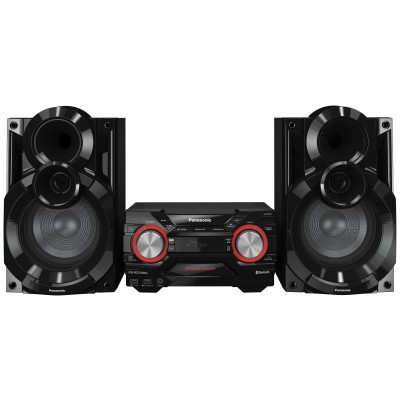
Panasonic SCUX100EK 300W Hi-Fi with Bluetooth
652/5039

Buy it on Argos.co.uk
 UK:
 Eire:
Product details
- Brand: Panasonic
- Catalogue number: 652/5039
- Manufacturer's number: SC-UX100E-K
Panasonic Support
UK:
Eire:
0344 844 3899
01 2898 333
Mon-Fri:
Sat-Sun:
9am to 5pm
Closed
Email me this page
Enter your email address to have this page emailed to you *
FAQs
- Ensure the Hi‑Fi is in pairing mode.
- Check your phone’s Bluetooth is switched on and visible.
- Remove old pairings (both on your phone and Hi‑Fi) and retry.
- Move closer (within 1–2 metres for first pairing).
- Restart both devices.
Check your Hi-Fi instruction manual for the above procedures.
- Ensure the Hi-Fi is not close to your Wi-Fi router.
- Ensure that your device is within range of the Hi-Fi.
- It may auto‑connect to last paired device
- Turn off Bluetooth on other devices that are nearby.
- Clear the pairing list and reconnect only with the desired device.
Check your Hi-Fi instruction manual for the above procedures.
How-to videos
-
How to Stop CDs skipping in a CD Player
-
How to Resolve Bluetooth Audio Disturbances


Returns policy
If you need advice or support for your product, please in the first instance contact the support provider using the number on this support page.
If you still need to return your product then please visit our most up to date returns policy here.