PDP RIFFMASTER WIRELESS GUITAR XSX
579/9794
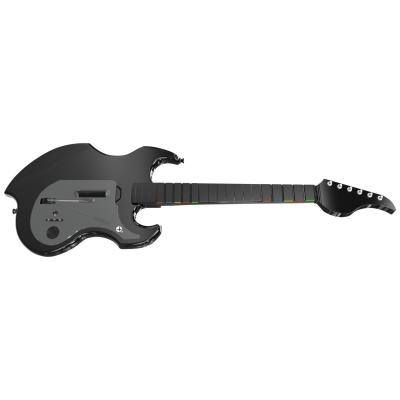
Product details
- Brand: PDP
- Catalogue number: 579/9794
- Manufacturer's number: 049-034-BK
Argos Technical Support
 UK:
 Eire:
Email me this page
Enter your email address to have this page emailed to you *
Useful links
FAQs
- To adjust game volume, hold Function and press Up/Down on the D‑Pad.
- To mute microphone, press Function twice—LED glows amber when muted.
- To turn off normally: press and hold PS / Xbox button for 6 seconds until LED turns off.
- If unresponsive: hold PS / Xbox button for 12 seconds for a hard reset — it powers off then back on.
- Up to 36 hours of gameplay per charge.
- Charge with USB‑C cable plugged into console or other USB source.
- While charging, the guitar LED fades in/out; when fully charged it stays solid.
- Low battery: the LED flashes quickly and, when critical, an audible tone sounds every minute if using headset.
Please try to hard reset your guitar. (Your guitar should be powered on for this step).
Press and hold your PS / Xbox button for 12 seconds. (The guitar will power off after 6 seconds, this is normal, continue to hold the button for an additional 6 seconds until the guitar turns back on.
After performing the hard reset, please try to reset the connection.
- Make sure the RIFFMASTER guitar is turned off.
- Connect the USB dongle to an active USB port of your console.
- Use a small paperclip to press and hold the re-pair button on the right of the USB dongle until the LED starts flashing rapidly. The button is located in the small hole. (this also can be the Connect Button).
- While the LED is flashing on the USB dongle, press the power button on your RIFFMASTER.
Once the guitar is turned on, press and hold the PDP Logo button and Share button on the RIFFMASTER. Keep holding both of the buttons until the LED on the transmitter AND the RIFFMASTER turn solid.
Your RIFFMASTER is now repaired and ready for use.
Yes! Just unscrew the top strap peg and move it to the opposite side. Also switch to left-handed mode in your game’s settings.
Questions & answers
How-to videos
-
How to Fix Controller Stick Drift


Returns policy
If you need advice or support for your product, please in the first instance contact the support provider using the number on this support page.
If you still need to return your product then please visit our most up to date returns policy here.