Acer Nitro 2.0 Wired Gaming Mouse - Black
488/7023
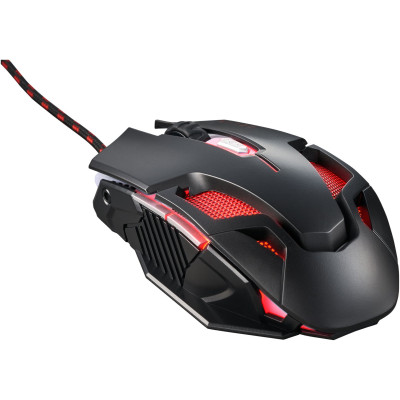
Product details
- Brand: Acer
- Catalogue number: 488/7023
- Manufacturer's number: GP.MCE11.039
Acer Technical Support
 UK:
UK:
 Eire:
Eire:
0371 760 1000
01 437 8367
Mon-Fri:
Sat-Sun:
9am to 6pm
Closed
Email me this page
Enter your email address to have this page emailed to you *
FAQs
This may be caused by dirt on the sensor or an unsuitable surface. Clean the sensor on the bottom of the mouse and use it on a flat, non-reflective surface or a mouse pad.
If your wired mouse isn’t connecting or responding, try the following steps:
- Check the USB connection: Make sure the cable is fully plugged into the USB port.
- Try another USB port: The current port may be faulty.
- Restart your computer: This can fix temporary connection issues.
- Inspect the cable: Look for any visible damage or fraying.
- Test on another device: This helps determine if the mouse itself is faulty.
- Check drivers: Ensure your system has installed the correct drivers (usually automatic).
Questions & answers
Returns policy
If you need advice or support for your product, please in the first instance contact the support provider using the number on this support page.
If you still need to return your product then please visit our most up to date returns policy here.