One For All URC1110 Apple TV Remote Control
458/1398
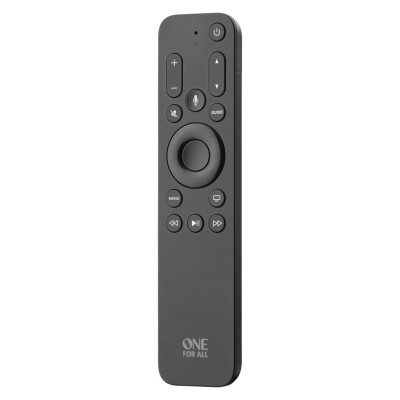
Product details
- Brand: One For All
- Catalogue number: 458/1398
- Manufacturer's number: R311110A01-00001
Argos Technical Support
 UK:
UK:
 Eire:
Eire:
Email me this page
Enter your email address to have this page emailed to you *
Useful links
One For All Web SupportFAQs
Please go to Settings on the Apple TV and select Remotes and Devices. Make sure that the option Control TVs and Receivers is set to On. Also please ensure that you have enabled HDMI-CEC on your TV and Receiver/Soundbar if applicable.
These keys need to be supported by the app. For example the Apple TV+ app supports them, but the YouTube app does not.
Some broadcasters (such as EE in the UK) supply an Apple TV box with their subscription. These keys can then be used on their app for watching Live TV.
Standing close to the Apple TV and with new AAA batteries inserted, try pressing a few keys on the remote. You should see a prompt on the top right of the screen. If you don’t see this, try holding down the Menu key and the Volume Up key for 5 seconds and the prompt should then appear. Then hold the remote very close to Apple TV and it should pair.
Questions & answers
How-to videos
-
TV Remote test
-
What to do if you TV loses signal


Returns policy
If you need advice or support for your product, please in the first instance contact the support provider using the number on this support page.
If you still need to return your product then please visit our most up to date returns policy here.