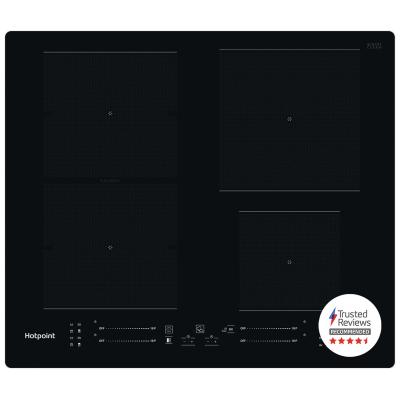
Hotpoint TS 5760F NE Induction Hob - Black
435/6884
Buy it on Argos.co.uk
 UK:
 Eire:
Product details
- Brand: Hotpoint
- Catalogue number: 435/6884
- Manufacturer's number: TS 5760F NE
Hotpoint / Indesit Support
UK:
Eire:
0344 822 4466
0818 313 413
Mon-Fri:
Sat:
Sun:
8am to 6pm
8am to 5pm
9am to 3pm
Email me this page
Enter your email address to have this page emailed to you *
Useful links
Online supportFAQs
If the hob will not turn on, check the following:
- Check that the hob is connected to the mains and switched on.
- Check the fuse or circuit breaker in the consumer unit.
- Perform a reset by switching the hob off at the mains for several minutes.
If your hob has power, but the controls do not respond, check the following:
- The child/control lock may be activated. Check the instruction manual on how to turn off the child/control lock.
- Ensure the control are clean and dry as liquid, spills, or objects on the control panel can cause continuous input errors.
- Ensure your fingers are dry, as touch sensors rely on proper contact.
If your hob turns on but does not heat up, check the following:
- Ensure you are using the correct cookware as induction hobs only work with magnetic (ferromagnetic) cookware such as steel or cast iron.
- Ensure the pan is correctly positioned and centred on the cooking zone.
- Some makes of hobs will not activate if the pan is missing or unsuitable.
If your hob does not detect the pan when it is placed on the cooking zone, check the following:
- The pan may be too small for the selected cooking zone; ensure you use the correct size pan for the cooking zone you are using.
- Ensure that the pan base is flat, clean, and dry.
- Ensure the pan is positioned centrally on the marked zone.


Returns policy
If you need advice or support for your product, please in the first instance contact the support provider using the number on this support page.
If you still need to return your product then please visit our most up to date returns policy here.