PDP Victrix Pro BFG PS5, PS4, PC Wireless Controller - Grey
434/0955
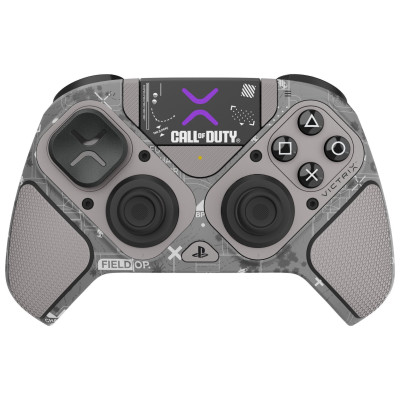
Product details
- Brand: PDP
- Catalogue number: 434/0955
- Manufacturer's number: 052-002-CDGY
Argos Technical Support
 UK:
UK:
 Eire:
Eire:
Email me this page
Enter your email address to have this page emailed to you *
Useful links
FAQs
Make sure the controller is charged.
Press and hold the Pairing button (on the back) until the LED starts flashing.
On your PS5, go to Settings > Accessories > Bluetooth Accessories and pair with “Victrix Pro BFG.”
Locate the reset button in the small hole on the back (usually near the bottom).
Use a paperclip to hold the button for about 5–10 seconds.
Re-pair the controller afterward.
Make sure the controller is in the correct platform mode (PS5/PS4/PC) using the switch.
Try re-mapping the paddles in the Victrix Control Hub app (for PC).
Disconnect and reconnect the controller.
Questions & answers
How-to videos
-
How to Fix Controller Stick Drift


Returns policy
If you need advice or support for your product, please in the first instance contact the support provider using the number on this support page.
If you still need to return your product then please visit our most up to date returns policy here.