HORI Mario Kart Racing Wheel Pro Mini For Nintendo Switch
416/3527
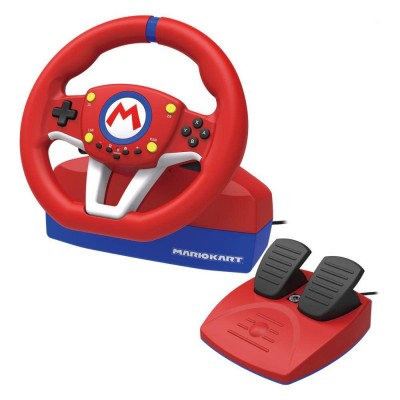
Product details
- Brand: mario kart
- Catalogue number: 416/3527
- Manufacturer's number: NSAEOTHOI00789
Nintendo Customer Support
 UK:
 Eire:
0345 605 0247
+44 345 605 0247
Mon-Fri:
Sat:
Sun:
9am to 6pm
9am to 2pm
Closed
Email me this page
Enter your email address to have this page emailed to you *
Useful links
Online supportFAQs
- Ensure the USB cable is correctly connected.
- Verify that your Nintendo Switch™ system software is fully updated.
- After connecting, turn the steering wheel fully left and fully right once, and press L and R pedals fully to initialize the controller.
- Reconnect the controller or restart the console and repeat calibration.
- Check that the modular plugs are inserted in the correct orientation into the connection port.
- Press each pedal firmly once after reconnecting the controller to ensure calibration.
- Make sure the foot pedal cable is not bent or damaged, as the manual warns against bending or pulling cables roughly.
How-to videos
-
How to Fix Controller Stick Drift
Returns policy
If you need advice or support for your product, please in the first instance contact the support provider using the number on this support page.
If you still need to return your product then please visit our most up to date returns policy here.