BEATS STUDIO PRO KIM K MOON
303/1629

Product details
- Brand: Beats
- Catalogue number: 303/1629
- Manufacturer's number: MW663ZM/A
Beats Technical Support
 UK:
UK:
 Eire:
Eire:
Email me this page
Enter your email address to have this page emailed to you *
FAQs
Unpair the connection, forget the device and try re connecting.
Unpair and repair the device, check the connection range of the device and headset. If you are out of range this will cause the connection to drop/disconnect.
Confirm the headset and device are connected. Check the headset is selected as the default audio device.
Disconnect and re-connect the headset
Check there is no interference or other connections. Disconnect any other Bluetooth connections from the device.
You can view the online set up guide here
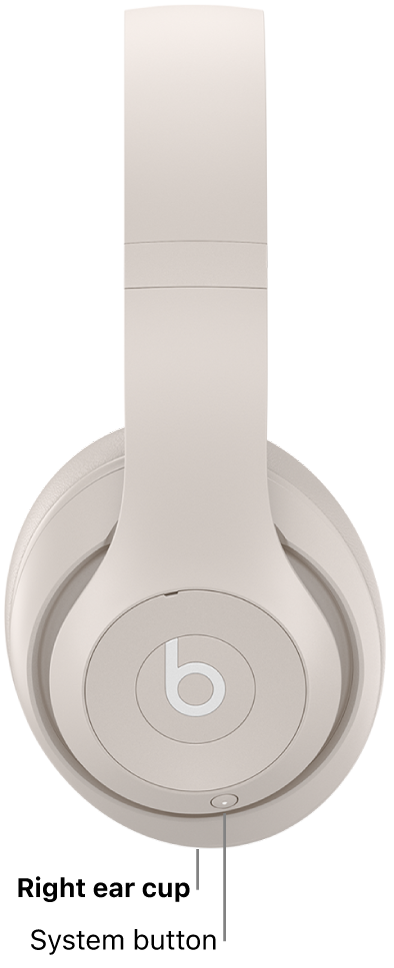
On the right ear cup, press and hold the system button for 10 seconds, then release the button.
All five lights flash white, then one light flashes red this sequence happens three times. Once reset, Beats Studio Pro will automatically turn on.
How-to videos
-
Beats Studio Pro Tips and Tricks for iOS
-
Beats Studio Pro Tips and Tricks for Android


Returns policy
If you need advice or support for your product, please in the first instance contact the support provider using the number on this support page.
If you still need to return your product then please visit our most up to date returns policy here.