Yale Conexis 1L Smart Door Lock
202/6855
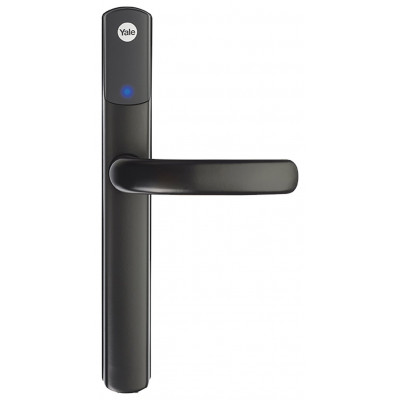
Product details
- Brand: Yale
- Catalogue number: 202/6855
- Manufacturer's number: SD-L1000-BL
Yale Support
 UK:
UK:
 Eire:
Eire:
Email me this page
Enter your email address to have this page emailed to you *
Useful links
Online supportFAQs
No, only 1 phone needs be paired with the Conexis® L1 Smart Door Lock. You can then give an unlimited number of people access via sharing Virtual Keys with them. Please note, 5 Virtual Keys are included with the app, additional Virtual Keys can then be purchased in the app.
If a series of beeps are heard from the Conexis® L1, this means the handle has not been lifted into the correct position meaning it is not locked. If it is playing a series of notes (i.e. a tune) this will be the low battery warning.
Please ensure that your Smart Phone’s Bluetooth and internet connection is on and that you have paired a Key Card/Tag/Phone Tag to the lock. Without either of these steps being completed the lock will not pair with the app.
To prevent a lock out during the installation, the Conexis® L1 will not lock until the master key card has been added and the lock has been handed as per page 15 of the manual. If the Conexis® L1 is attempting to lock but a whirring noise can be heard, this means that the actuator is not aligned as per the instruction manual page 8 or the arrows on page 12 were not facing the correct direction
There should be only 1 Virtual Key for each Conexis® L1 Smart Door Lock displayed in the app. If you have multiple keys, please remove from the app and re-add the lock to the app until you only have 1 key. Only 1 Key Card/Tag/Phone Tag can be registered to the lock during installation. By registering another Key Card/Tag/Phone Tag, this will delete the previous. Additional Key Cards/ Tags/Phone Tags must be added via the Conexis® L1 app.
This is the Conexis® L1 tamper alarm. This would be a result of someone tampering with the lock or cable connecting the exterior handle to the internal handle during installation. This can be turned off by holding the ‘R’ button as the batteries are inserted. When the lock powers up, release the ‘R’ button. Re-check connections and cabling.


Returns policy
If you need advice or support for your product, please in the first instance contact the support provider using the number on this support page.
If you still need to return your product then please visit our most up to date returns policy here.