Belkin 10000mAh Power Bank with 30W Power Delivery - Black
197/7321
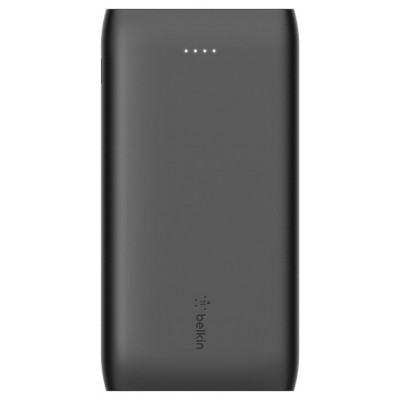
Product details
- Brand: Belkin
- Catalogue number: 197/7321
- Manufacturer's number: BPB001BTBK
Belkin Support
 UK:
UK:
 Eire:
Eire:
Email me this page
Enter your email address to have this page emailed to you *
Useful links
Online supportFAQs
Yes, this power bank is an intelligent charger that has overcharging protection. The safety features of this product have been tested under fault conditions.
The light indicators provide an approximation of how much charge is left in the power bank. The number of lights lit corresponds to the following:
- Four lights - 75% to 100% charged
- Three lights - 50% to 75% charged
- Two lights - 25% to 50% charged
- One light - 25% or less charged
Yes. The power bank is charged using the USB-C port. You can charge another device on the USB-A port at up to 5V / 1A / 1W power level.
IMPORTANT: If the power bank is below 25% charge level, the USB-A port will not provide power while the power bank is recharging until it reaches 75% charge level.
Yes, you can but only if:
- The laptop has a USB-C charging port.
- The power bank has USB-C power delivery (PD).
- The output of the power bank is high enough (typically at least 30W-65W, depending on your laptop.
Using a fast charger and USB-C input can reduce the charge time.
- Small capacity power bank (5000mAh) is between 2-3 hours.
- Medium capacity power bank (10000mAh) is between 4-6 hours.
- Large capacity power bank (20000mAh) is between 8-10 hours.
The number of times a power bank can charge your mobile phone depends on the power bank's capacity and the mobile phone's battery capacity. Below is a rough guide:
- 5000mAh power bank: 1 full charge.
- 10000mAh power bank: 2-3 charges.
- 20000mAh power bank: 4-6 charges.
Power bank with LED indicator light.
Depending on the power bank, try the following method, generally speaking the more LED’s on mean the higher the battery charge:
- Press the power button.
- 4 lit LEDs = 100% charge.
- 3 lit LEDs = 75% charge.
- 2 lit LEDs = 50% charge.
- 1 lit LEDs = 25% charge.
- Blinking LEDs = power bank requires charging.
- No LEDs = power bank has no charge and requires charging.
Power bank with LCD display.
- Press the power button, plug in a device, or charger.
- The LCD screen will usually display the percentage of charge the power bank has left.


Returns policy
If you need advice or support for your product, please in the first instance contact the support provider using the number on this support page.
If you still need to return your product then please visit our most up to date returns policy here.