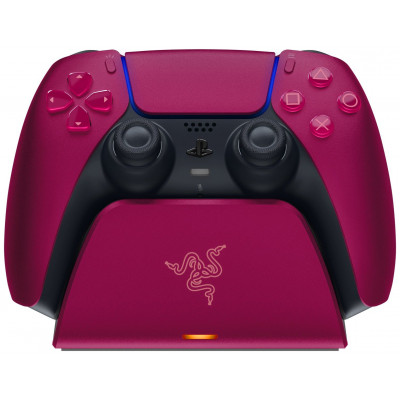
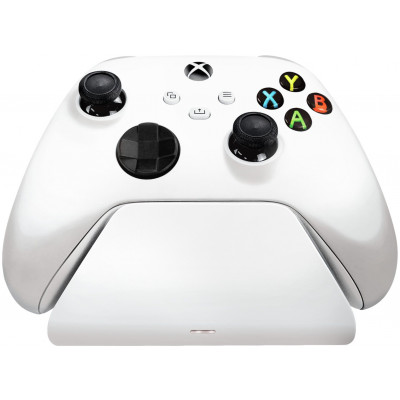
Razer Quick Charging Stand For PS5 - Cosmic Red
195/0719
Product details
- Brand: Razer
- Catalogue number: 195/0719
- Manufacturer's number: 8.89E+12
Razer Customer Support
 UK:
 Eire:
Email me this page
Enter your email address to have this page emailed to you *
Useful links
Online supportFAQs
- Plug the included charging cable into the back of the charging stand (USB-C) and the other end to your PlayStation or other powered USB-A port.
- Simply place your PS5™ DualSense™ Wireless Controller on top of the charging stand, ensuring that the charging pins are aligned.
- The LED indicator on the front will be orange when charging and off when fully charged. Similarly, the LED indicator on the PS5™ DualSense™ Wireless Controller will be pulsating orange when charging and off when fully charged.
- A depleted battery could be fully charged in less than 3 hours.
Remove the existing battery cover and batteries from your PS5 Controller. Take the rechargeable battery, align the + and – symbols in the battery compartment and insert it into your controller. Attach the new battery cover included with the Razer Universal Quick Charging Stand for PS5.
The Razer Universal Quick Charging Stand for PS5 allows for full charging of your controller in under 3 hours. With overcharge protection, it prevents overheating and short‑circuiting.
Questions & answers
How-to videos
-
How to Fix Controller Stick Drift
Returns policy
If you need advice or support for your product, please in the first instance contact the support provider using the number on this support page.
If you still need to return your product then please visit our most up to date returns policy here.